


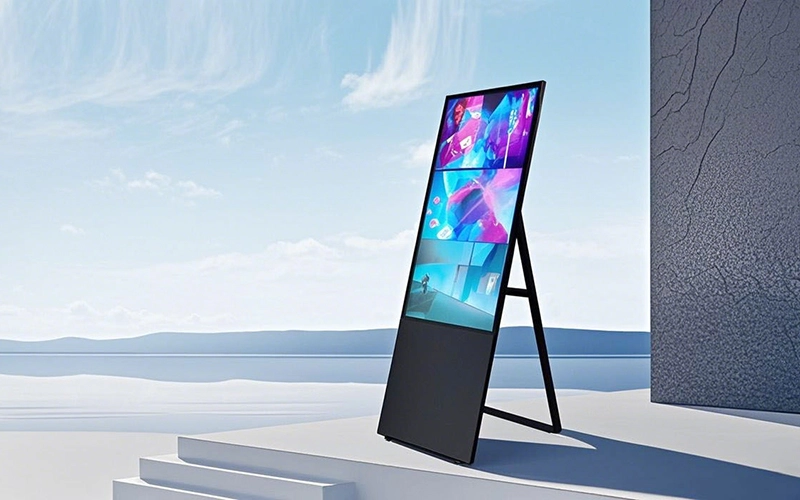
調達マネージャー, 小売事業責任者, 企業の施設管理者は、購買に関する重大なジレンマに頻繁に遭遇します。: “ハードウェアの初期コストを削減するために、標準の消費者向けテレビや低コストのディスプレイを商用の床置き型デジタル サイネージに置き換えることはできますか??”
消費者向けディスプレイは当初は費用対効果が高いように見えますが、, 彼らの基礎となるエンジニアリングは根本的に商業的需要と両立しない. 商用ディスプレイは、毎日継続的な稼働時間という過酷な条件下で動作します。, 周囲の人通りが多い, 物理的衝撃のリスク, 複雑なネットワーク環境. 民生用テレビを商用環境で動作させようとすると、パネルの過熱が発生することがよくあります, 残像 (焼き付き), ガラスの損傷, および初期のハードウェア障害 12 月.
この B2B 調達ガイドでは、商用ハードウェアと消費者向けハードウェアのエンジニアリングの違いを評価します。, 総所有コストを分析する (TCO), 主要な選択基準を強調表示します。 商業フロアスタンドデジタルサイネージ.
1. アーキテクチャの内訳: 商業用看板 vs. 家庭用テレビ
初め, 業務用デジタルサイネージは民生用テレビとは動作時間が異なります, パネル仕様, 保護, 熱設計, そしてシステム管理.
次の表は主な違いをまとめたものです:
| 機能パラメータ | 商業フロアスタンドデジタルサイネージ | 家庭用テレビ / 画面 |
|---|---|---|
| 動作デューティサイクル | 16/7 または 24/7 連続運転 | 通常は 1 日あたり 6 ~ 8 時間設計されています |
| パネル仕様 | 商用グレードのLG A+ LCDパネル | 標準の消費者グレードのパネル |
| 表面保護 | 4 mm強化安全ガラス | 標準的なガラスまたはプラスチックの保護 |
| 熱管理 | 産業用放熱構造 | 主に住宅の空気の流れのために設計されています |
| CMS & リモコン | クラウドベースのリモートコンテンツ管理 | 基本的なローカル制御 |
| 囲い & シャーシ | 強化された自立型金属製エンクロージャ | 消費者向けプラスチックシャーシと卓上スタンド |
表が示すように, 商業用看板は長期信頼性と一元管理を重視. 家庭用テレビ, しかし, 住宅内覧を優先し、初期費用を抑える.
24/7 操作と熱管理
初め, 動作時間は最も重要な違いの 1 つです.
民生用テレビは通常、継続的な商業運用ではなく、通常の家庭での視聴をサポートします。. 長期間使用する場合, 内部熱が蓄積し、コンポーネントの劣化が促進される可能性があります.
時間とともに, 過度の熱によりディスプレイが変色する可能性があります, LEDバックライトの劣化, または電源の早期故障.
比較すると, 商業用床置き型デジタル サイネージは専用の熱管理構造を使用しています. これらの設計は、ディスプレイが次の環境で確実に動作するのに役立ちます。 16/7 または 24/7 デューティサイクル, 選択した構成に応じて.
したがって, 企業は、ディスプレイの定格稼働スケジュールを会場の実際の稼働時間と常に一致させる必要があります。.
商用パネルのグレードと視覚的一貫性
パネルの品質は商業用途でも重要な役割を果たします.
HOSDAの業務用デジタルサイネージの用途 LG A+ グレードの LCD パネル まで 3840 × 2160 4K UHD解像度.
結果として, ディスプレイは詳細なプロモーション用グラフィックを表示できます, シャープなテキスト, 一貫したビジュアルパフォーマンス.
マルチスクリーンのインストール用, パネルの一貫性がさらに重要になる. 均一なバックライト, 広い視野角, 正確な色再現により、複数の場所で一貫したブランド イメージを維持できます。.
2. HOSDA 業務用床置き型デジタルサイネージの特長
商業環境の要求を満たすために, ホスダが開発 商業フロアスタンドデジタルサイネージ 小売店向け, ホテル, ショッピングモール, 企業施設, およびその他の公共の場.
このシステムは、高解像度ディスプレイ技術とインタラクティブなタッチ機能を組み合わせています。, 柔軟なオペレーティング システム, クラウドベースのコンテンツ管理.
4K LG A+ パネル付き 4 mm強化ガラス
初め, サイネージは LG A+ グレードの LCD パネルを使用し、高解像度の 4K ビジュアルを提供します。.
プロモーションビデオに適した構成です, 製品画像, デジタルメニュー, およびその他の高解像度マーケティング コンテンツ.
その間, の 4 mm強化ガラス 偶発的な衝撃や傷からさらに保護します。.
したがって, このディスプレイは、機器が頻繁に顧客とやり取りするような混雑した公共環境に適しています。.
高速静電容量式タッチインタラクション
インタラクティブなアプリケーションの場合, HOSDA は、応答時間の優れた静電容量式タッチ技術を統合しています。 未満 8 MS.
この高速応答により、スムーズで応答性の高いユーザー エクスペリエンスが実現されます。. その結果, 企業はシステムを次の目的で使用できます:
- インタラクティブな製品カタログ
- セルフサービス情報キオスク
- デジタルディレクトリ
- ショッピングモールのウェイファインディング
- ホテルのセルフサービス アプリケーション
- インタラクティブなプロモーション キャンペーン
結果として, ディスプレイは広告プラットフォームと対話型顧客サービス端末の両方として機能できます。.
柔軟な Windows および Android オペレーティング システム
さらに, オペレーティング システムの柔軟性により、企業はデジタル サイネージを既存のソフトウェアと統合できます.
HOSDAが提供する Windows および Android OS のオプション さまざまな商業用途向け.
Android 構成により、効率的なメディア再生と簡単なデジタル サイネージ展開が可能になります. その間, Windows 構成は、より複雑な対話型アプリケーションに適しています, データベース, およびエンタープライズ ソフトウェア.
加えて, クラウドベースのリモート管理により、マーケティング チームは集中プラットフォームから複数のディスプレイを管理できます.
ユーザーはリモートで:
- 広告コンテンツをアップロードする
- メディアプレイリストをスケジュールする
- プロモーション キャンペーンを更新する
- 複数の場所を管理する
- デバイスのステータスを監視する
- 分割画面レイアウトを制御する
このアプローチにより、複数拠点のデジタル サイネージ管理が大幅に簡素化されます。.
スマートな画面分割再生
標準の全画面再生に加えて, HOSDA デジタル サイネージはスマートな分割画面レイアウトをサポートします.
企業は複数の種類のコンテンツを同時に表示できます, 含む:
- プロモーションビデオ
- 製品画像
- スクロールテキスト
- デジタル広告
- 気象情報
- お知らせ
したがって, 追加の画面を必要とせずに、1 台のディスプレイで複数の通信目的に対応できます。.
エンタープライズ接続と拡張インターフェイス
ついに, 商用デジタル サイネージの展開には接続が不可欠です.
HOSDA システムは、次のようなインターフェイスをサポートできます。:
Wi-Fi 6, ブルートゥース, HDMI, タイプC, RJ45イーサネット, USB 3.0, およびオーディオ出力.
これらの接続オプションにより、外部メディア プレーヤーの統合が容易になります。, 企業ネットワーク, インタラクティブな周辺機器, およびその他の商業機器.
3. 総所有コスト: 低コストのハードウェアのコストが高くなる理由
一見して, 消費者向けテレビは通常、購入価格が低いため、より経済的であるように見えるかもしれません.
しかし, 初期購入価格は商用展開の完全なコストを表すものではありません.
企業は耐用年数も考慮する必要がある, メンテナンス, ダウンタイム, コンテンツ管理, そして交換費用.
| 財務指標 | 小売店における消費者向けディスプレイ | HOSDA 業務用デジタルサイネージ |
|---|---|---|
| 初回購入価格 | 初期費用の削減 | 初期投資が高額になる |
| 長期間使用した場合の期待寿命 | 継続運転では故障リスクが高まる | 50,000+ 推定耐用年数時間 |
| メンテナンス & 交換 | 交換頻度が高くなるとダウンタイムが長くなる可能性があります | メンテナンスの手間がかからない設計 4 mm保護ガラス |
| 商用保証サポート | 使用制限がある場合があります | B2B商用保証サポート |
| コンテンツ管理 | 個々の画面での手動更新 | クラウドCMSの一元管理 |
| 複数の場所での運用 | 限定的な集中管理 | 場所を越えたリモート コンテンツ配信 |
したがって, 調達チームは評価する必要があります 総所有コスト (TCO) ハードウェアの初期価格のみに焦点を当てるのではなく.
複数の画面を運用している企業向け, CMS の一元管理により、日常的なコンテンツ更新に必要な時間も削減できます。.
4. 商用デジタルサイネージ調達チェックリスト
ご購入の前に 床置き型デジタルサイネージ, 調達マネージャーはいくつかの技術的要素を評価する必要があります.
必要な稼働時間を確認する
初め, 実際の会場運営スケジュールを確認する.
例えば, 小売店では必要になる場合があります 16/7 手術, ホテルのロビーにいる間, 交通の要所, その他の施設では、より長い稼働期間が必要となる場合があります.
したがって, 必要なデューティサイクルに合わせて設計された市販のディスプレイを選択してください.
パネルとガラスの仕様を確認する
次, パネルのグレードと保護ガラスを確認する.
交通量の多い環境向け, 商用グレードのパネルと 4 mm強化安全ガラス 追加の耐久性と視覚的な一貫性を提供できます.
クラウド CMS 機能を評価する
加えて, デジタル サイネージ プラットフォームがコンテンツの一元管理をサポートしているかどうかを確認する.
重要な機能には以下が含まれます:
- クラウドコンテンツ配信
- 予約再生
- 分割画面レイアウト
- リモートデバイス監視
- 複数拠点の管理
ディスプレイの数が増えるにつれて、これらの機能の価値はさらに高まります.
オペレーティング システムの互換性を確認する
ついに, アプリケーションに応じてオペレーティング システムを選択します.
アンドロイド 費用対効果の高いメディア再生や標準的なサイネージ アプリケーションに適しています. その間, Windows 高度な対話型ソフトウェアにより適している可能性があります, データベース統合, およびエンタープライズアプリケーション.
技術概要
選択する 商業フロアスタンドデジタルサイネージ 民生用テレビの代わりに、より高い信頼性を提供できます, 保護, 要求の厳しいビジネス環境に対応する管理機能.
商用システムはより長い動作サイクル向けに設計されており、次のような機能を統合できます。 LG A+ グレード 4K パネル, 4 mm強化ガラス, 静電容量式タッチ技術, クラウドベースのコンテンツ管理.
さらに, Android と Windows の柔軟な構成により、企業はソフトウェア要件に応じてハードウェアを選択できます.
小売用, おもてなし, 企業, および公共スペースでのアプリケーション, HOSDA が提供するカスタマイズ可能 商業用フロアスタンド型デジタルサイネージ, インタラクティブタッチキオスク, およびデジタルディスプレイソリューション 世界中のB2B顧客向け.
