


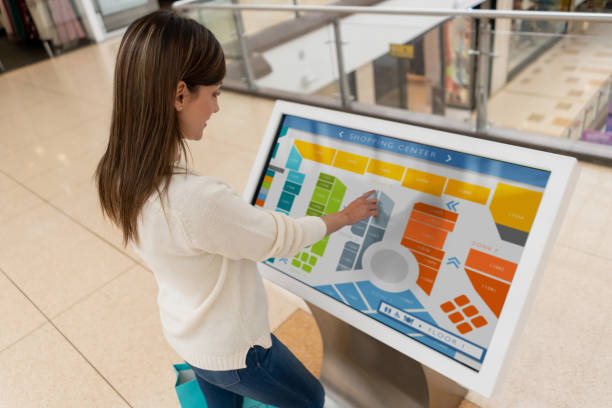
セルフサービス キオスクを購入する場合、Android キオスクと Windows キオスクのどちらを選択するかは重要な決定です。, 対話型クエリターミナル, またはデジタルサイネージシステム. オペレーティング システムはアプリケーションの互換性に影響します, リモートデバイス管理, ハードウェア要件, そして長期メンテナンス.
どちらのプラットフォームもインタラクティブなタッチスクリーンをサポートしていますが、, さまざまな導入ニーズに対応します. Android キオスクは多くの場合、標準化されたタッチ アプリケーションに適しています, デジタルサイネージ, およびクラウド管理デバイス. 通常、Windows キオスクは、Windows デスクトップ ソフトウェアを必要とする展開に適しています。, 特化したビジネスアプリケーション, または既存の Windows IT インフラストラクチャとの統合.
B2Bバイヤー向け, 正しい選択はキオスクが何を実行する必要があるかによって決まります, デバイスはどのように管理されるか, どの周辺機器を接続する必要があるか.
1. Android キオスク vs. Windows キオスク: 主な違い
Android キオスクは通常、専用のタッチ アプリケーションを実行します。, ウェブインターフェース, またはデジタルサイネージプラットフォーム. Windows キオスクはこれらの機能もサポートできます, 同時に、多くの従来のデスクトップ アプリケーションや Windows ベースのビジネス システムとの幅広い互換性を提供します。.
主な違いはハードウェアの価格だけではありません. オペレーティングシステムがソフトウェアと一致しているかどうかです, 管理モデル, 導入の周辺要件.
| 比較係数 | Android キオスク | Windows キオスク |
|---|---|---|
| アプリケーションの互換性 | Androidアプリ, ウェブアプリ, およびサポートされているサイネージ ソフトウェア | Windows デスクトップ ソフトウェア, ウェブアプリ, およびエンタープライズアプリケーション |
| 代表的な用途 | ウェイファインディング, 製品カタログ, 情報の問い合わせ, デジタルサイネージ | 業務端末, 特殊なクエリシステム, エンタープライズアプリケーション |
| リモート管理 | 一般的にクラウドベースのデバイス管理プラットフォームを使用します | Windows管理ツールを使用できる, リモートサポート, および企業ポリシー |
| ハードウェア要件 | 標準化されたアプリケーションでは通常より低い | より高性能な PC プラットフォームが必要な場合があります, ソフトウェアによっては |
| ハードウェアとソフトウェアのコスト | 単純な導入の場合は、多くの場合これより低くなります | PC のハードウェアによってはさらに高くなる可能性があります, ソフトウェアライセンス, およびIT要件 |
| 周辺機器の統合 | Androidドライバーに依存, インターフェース, およびアプリケーションのサポート | 多くの場合、Windows ドライバーと SDK を備えた周辺機器に適しています |
| IT環境 | クラウド管理のデバイスフリートに最適 | Windows インフラストラクチャが確立されている組織に適しています |
| 最適なシナリオ | 標準化された, リモート管理のタッチ エクスペリエンス | 特殊なソフトウェアと複雑なエンタープライズ統合 |
実費, パフォーマンス, 起動時間, および周辺機器の互換性はハードウェア構成によって異なります, オペレーティング システムのバージョン, アプリケーションのワークロード, および管理ソリューション.
2. Android キオスクを選択すべき場合?
Android キオスクは、主な目的が情報の表示である場合に強力な選択肢です, タッチ入力を収集する, または標準化されたセルフサービスエクスペリエンスを提供する.
標準化された対話型クエリ アプリケーション
Android は多くの専用キオスク アプリケーションに適しています, 含む:
- ショッピング モールのディレクトリと屋内の経路探索
- 小売製品カタログおよびプロモーション用ディスプレイ
- 来場者案内・受付端末
- 展示会および博物館情報システム
- 基本的なサービス問い合わせ用のタッチスクリーン インターフェイス
アプリケーションが Android 上で確実に実行され、Windows 専用ソフトウェアを必要としない場合, Android キオスクは、従来のデスクトップ環境のような複雑さを追加することなく、必要な機能を提供できます。.
クラウドベースのリモート管理
複数の支店にまたがってキオスクを運営している企業向け, リモート管理は購入の重要な考慮事項となる可能性があります.
Depending on the selected device management platform, Android kiosk fleets can support centralized application deployment, content updates, device monitoring, and remote configuration. This helps reduce the need for staff to visit every location for routine maintenance.
ご購入の前に, confirm whether the kiosk supports the required mobile device management (MDM) platform, remote reboot functions, application lockdown, and fleet monitoring features.
Cost-Conscious Digital Signage Deployments
Android hardware can be cost-effective for standardized digital signage and interactive terminals, particularly when the required application has modest processing needs.
For deployments involving dozens or hundreds of devices, buyers should evaluate total cost of ownership rather than hardware price alone. Installation, remote management subscriptions, メンテナンス, network requirements, 交換費用も全体の予算に影響を与える可能性があります.
常時オンの情報ディスプレイ
Android ベースのシステムは、意図したデューティ サイクルに合わせてハードウェアが設計されている場合、継続的なデジタル サイネージや情報表示に適しています。.
しかし, 連続動作は表示パネルに依存します, 冷却設計, 電源, ファームウェア, オペレーティング システムだけではなく、環境条件も考慮してください. 要求の厳しい環境にキオスクを導入する前に、メーカーの動作仕様を確認してください.
3. Windows キオスクを選択すべき場合?
一般に、端末で既存のデスクトップ ソフトウェアを実行する必要がある場合は、Windows キオスクの方が適しています。, エンタープライズ システムに接続する, または特殊な周辺機器をサポートする.
Windowsビジネスソフトウェアとの互換性
一部の組織は Windows 専用に開発されたソフトウェアに依存しています. Examples may include desktop-based enterprise resource planning (ERP) modules, property management system (PMS) クライアント, specialized service applications, and legacy business programs.
If the required application depends on Windows APIs, desktop installers, or Windows-specific components, choosing a compatible Windows kiosk can simplify deployment.
Before finalizing the hardware, verify the software’s operating system requirements, processor and memory specifications, database connectivity, and licensing conditions.
Integration with Existing Enterprise IT Systems
Organizations that already manage Windows computers may prefer Windows kiosks because they can fit more naturally into an established IT environment.
Depending on the Windows edition and management configuration, available tools may include Group Policy, centralized endpoint management, リモートサポート, and enterprise security controls.
This can help IT teams maintain consistent configuration and security policies across office computers and kiosk terminals.
しかし, not every Windows kiosk automatically supports every enterprise management feature. Buyers should confirm operating system edition, domain or identity requirements, management compatibility, and licensing before deployment.
Complex Peripheral Integration
Self-service terminals may need to connect to several devices, のような:
- Thermal receipt printers
- Barcode scanners
- RFID readers
- ID document scanners
- Card readers and payment terminals
- Specialized industrial or medical peripherals
Windows may offer a practical advantage when the required peripheral manufacturer provides Windows drivers, desktop utilities, or a Windows SDK.
Android can also support external peripherals, but compatibility depends on the device interface, ドライバーの可用性, アプリケーションサポート, およびハードウェア実装. 注文する前に、必要なすべての周辺機器の互換性を確認してください.
ローカル処理と特殊なワークフロー
一部のキオスクはデータをローカルで処理する必要があります, ローカルデータベースと通信する, ドキュメントを生成する, または特殊なデスクトップワークフローを実行する.
アプリケーションがその環境向けに構築されている場合は Windows が適している可能性があります. それにもかかわらず, ローカル処理能力は実際のハードウェアとソフトウェアのアーキテクチャに依存します. 処理要件を検証せずにどちらのオペレーティング システムも選択しないでください。, データセキュリティ, およびネットワーク依存関係.
4. アンドロイド対. Windows キオスク: 適切なプラットフォームを選択する方法
実際の選択プロセスはソフトウェアの互換性から始まります, 次に、IT 管理と周辺要件を検討します。.
ステップ 1: 必要なアプリケーションを特定する
まず、キオスクで実行する必要があるすべてのアプリケーションをリストします。.
アプリケーションが Android で利用できる場合、またはサポートされている Web 環境で正しく実行される場合は、Android を選択します。. アプリケーションが Windows デスクトップ環境を必要とする場合、または Windows 固有のコンポーネントに依存する場合は、Windows を検討してください。.
Web ベースのアプリケーションが両方のプラットフォームで自動的に同じように適切に実行されるとは考えないでください。. ブラウザの互換性を検証する, タッチスクリーンの動作, 画面解像度, および必要なローカル サービス.
ステップ 2: デバイス管理モデルを評価する
端末を 1 つの場所に設置するか、複数のサイトに分散するかを決定します。.
複数の場所での展開の場合, 一元化されたコンテンツ展開を評価する, リモートアップデート, device monitoring, キオスクのロックダウン, および回復オプション. Android はクラウド管理のサイネージ ワークフローに適合する可能性があります, 一方、Windows は既存のエンタープライズ エンドポイント管理環境に適合する可能性があります。.
The best choice depends on the management platform and the actual capabilities of the selected device.
ステップ 3: Confirm Peripheral and Interface Requirements
Create a complete list of external devices and interfaces required by the application.
Check USB, serial, イーサネット, Wi-Fi, ブルートゥース, and other required connections against the terminal’s hardware specifications. Confirm the availability of drivers, SDKs, and technical support for the intended operating system.
A successful demonstration with a touchscreen alone does not establish compatibility with printers, スキャナー, 決済デバイス, or other peripherals.
ステップ 4: Compare Total Cost of Ownership
Compare the complete cost of deployment, 含む:
- Kiosk hardware and display configuration
- Operating system and application licensing
- Device management software
- Peripheral integration and software development
- Installation and network configuration
- Security updates and ongoing maintenance
- Technical support and replacement planning
Android often has a cost advantage for straightforward deployments, while Windows may reduce integration effort when existing software already depends on Windows. The more economical option is the one that meets the requirements with the lowest overall deployment and maintenance burden.
5. Which Operating System Fits Your Kiosk Application?
The following examples provide a starting point for selecting an interactive kiosk platform.
| Deployment scenario | Platform to evaluate first | Key consideration |
|---|---|---|
| Shopping mall directory | アンドロイド | Touch application and centralized content updates |
| Retail advertising kiosk | アンドロイド | Signage software, display duty cycle, およびリモート管理 |
| Exhibition information terminal | アンドロイド | Application compatibility and user interface |
| Hotel self-service terminal | アンドロイドまたはウィンドウズ | PMS compatibility and connected peripherals |
| Hospital information terminal | アンドロイドまたはウィンドウズ | Application requirements, 安全, and peripheral integration |
| Government service terminal | アンドロイドまたはウィンドウズ | Approved software, identity verification, and compliance |
| Enterprise query workstation | Windows when required by the application | Existing business software and IT infrastructure |
| Payment or document-processing kiosk | Depends on the complete solution | Payment certification, drivers, 安全, and vendor support |
These are typical evaluation scenarios, not fixed rules. 例えば, a hotel directory may run well on Android, while a hotel check-in terminal may require Windows or another platform supported by its property management software and peripherals.
The application specification should determine the operating system—not the industry label alone.
6. What Should B2B Buyers Confirm Before Ordering a Kiosk?
Android または Windows の選択はキオスク調達の一部にすぎません. ディスプレイ, タッチテクノロジー, 囲い, インターフェース, メンテナンス要件も展開の成功に影響します.
注文を承認する前に, 次のことを確認します:
- オペレーティング·システム: 正確なバージョン, ライセンス要件, とアプリケーションの互換性.
- プロセッサとメモリ: 意図したワークロードに対して十分なパフォーマンス.
- 表示とタッチ: 画面サイズ, 解決, 輝度, タッチテクノロジー, 想定される使用環境.
- 接続性: 必要な有線および無線ネットワーク インターフェイス.
- 周辺機器サポート: プリンターとの互換性を確認済み, スキャナー, カードリーダー, およびその他のデバイス.
- デバイス管理: リモートアップデート, application lockdown, 監視, および回復要件.
- 安全: ユーザーのアクセス制限, ポリシーを更新する, データ保護, 物理的改ざんに関する考慮事項.
- 機械設計: 筐体寸法, 取付方法, ケーブルルーティング, およびサービスへのアクセス.
- ライフサイクルサポート: 保証, スペアパーツ, ソフトウェアのメンテナンス, そして交換計画.
For large deployments, request a pilot unit and test the complete workflow under realistic operating conditions before committing to mass production.
結論: Choose a Kiosk Operating System Based on Application Requirements
Android and Windows kiosks serve different deployment priorities. Android is often a practical choice for standardized interactive applications, デジタルサイネージ, and cloud-managed device fleets. Windows is generally better suited to terminals that depend on Windows desktop software, established enterprise IT systems, or peripherals with Windows-specific drivers.
The right platform depends on application compatibility, device management, hardware interfaces, セキュリティ要件, 総所有コスト.
Before placing a bulk order, validate the complete application and peripheral configuration on a production-representative kiosk.
Custom Android and Windows Kiosks from HOSDA
HOSDAが提供する customizable interactive kiosks and digital signage solutions with options for operating system, enclosure design, touchscreen configuration, and peripheral integration.
Share your application requirements, deployment environment, and hardware specifications to discuss a suitable kiosk configuration for your project.
