


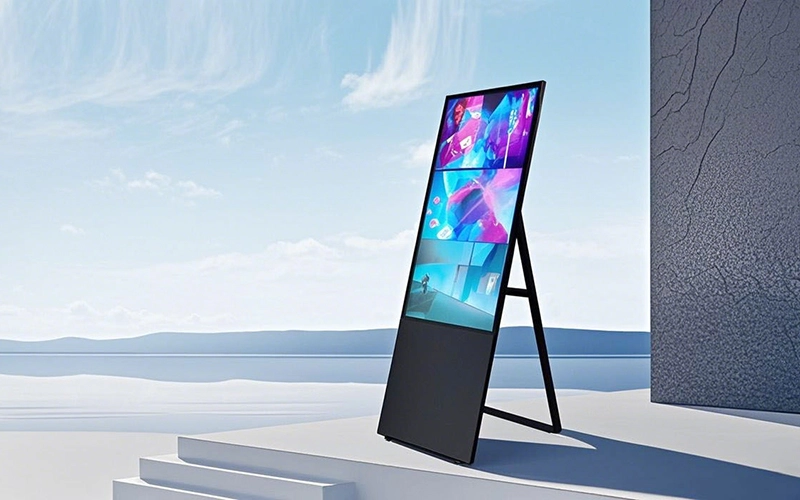
Procurement managers, retail operations directors, and corporate facility managers frequently encounter a critical purchasing dilemma: “Can standard consumer TVs or low-cost displays replace commercial floor-standing digital signage to cut initial hardware costs?”
While consumer displays appear cost-effective initially, their underlying engineering is fundamentally incompatible with commercial demands. Commercial displays operate under harsh conditions—continuous daily runtime, high ambient foot traffic, physical impact risks, and complex network environments. Attempting to run consumer-grade televisions in commercial settings often leads to panel overheating, image retention (burn-in), glass damage, and early hardware failure within 12 months.
This B2B procurement guide evaluates the engineering differences between commercial and consumer hardware, analyzes total cost of ownership (TCO), and highlights key selection criteria for commercial floor stand digital signage.
1. Architectural Breakdown: Commercial Signage vs. Consumer TVs
First, commercial digital signage differs from consumer TVs in operating time, panel specifications, protection, thermal design, and system management.
The following table summarizes the major differences:
| Feature Parameter | Commercial Floor Stand Digital Signage | Consumer TV / Display |
|---|---|---|
| Operating Duty Cycle | 16/7 or 24/7 continuous operation | Typically designed for 6–8 hours per day |
| Panel Specification | Commercial-grade LG A+ LCD panel | Standard consumer-grade panel |
| Surface Protection | 4 mm toughened safety glass | Standard glass or plastic protection |
| Thermal Management | Industrial heat dissipation structure | Primarily designed for residential airflow |
| CMS & Remote Control | Cloud-based remote content management | Basic local control |
| Enclosure & Chassis | Reinforced free-standing metal enclosure | Consumer plastic chassis and tabletop stand |
As the table shows, commercial signage focuses on long-term reliability and centralized management. Consumer TVs, however, prioritize residential viewing and lower initial costs.
24/7 Operation and Thermal Management
First, operating time is one of the most important differences.
Consumer TVs generally support normal household viewing rather than continuous commercial operation. When used for extended periods, internal heat can accumulate and accelerate component aging.
Over time, excessive heat may contribute to display discoloration, LED backlight degradation, or premature power supply failure.
By comparison, commercial floor-standing digital signage uses dedicated thermal management structures. These designs help the display operate reliably under 16/7 or 24/7 duty cycles, depending on the selected configuration.
Therefore, businesses should always match the display’s rated operating schedule with the actual working hours of the venue.
Commercial Panel Grade and Visual Consistency
Panel quality also plays an important role in commercial applications.
HOSDA commercial digital signage uses LG A+ grade LCD panels with up to 3840 × 2160 4K UHD resolution.
As a result, the display can deliver detailed promotional graphics, sharp text, and consistent visual performance.
For multi-screen installations, panel consistency becomes even more important. Uniform backlighting, wide viewing angles, and accurate color reproduction can help maintain a consistent brand image across multiple locations.
2. HOSDA Commercial Floor-Standing Digital Signage Features
To meet the demands of commercial environments, HOSDA develops commercial floor stand digital signage for retail stores, hotels, shopping malls, corporate facilities, and other public venues.
The system combines high-resolution display technology with interactive touch functions, flexible operating systems, and cloud-based content management.
4K LG A+ Panel with 4 mm Toughened Glass
First, the signage uses an LG A+ grade LCD panel to deliver high-resolution 4K visuals.
This configuration is suitable for promotional videos, product images, digital menus, and other high-definition marketing content.
Meanwhile, the 4 mm toughened glass provides additional protection against accidental impacts and scratches.
Therefore, the display is better suited to busy public environments where equipment faces frequent customer interaction.
Fast Capacitive Touch Interaction
For interactive applications, HOSDA integrates capacitive touch technology with a response time of less than 8 ms.
This fast response creates a smooth and responsive user experience. Consequently, businesses can use the system for:
- Interactive product catalogs
- Self-service information kiosks
- Digital directories
- Shopping mall wayfinding
- Hotel self-service applications
- Interactive promotional campaigns
As a result, the display can function as both an advertising platform and an interactive customer service terminal.
Flexible Windows and Android Operating Systems
Furthermore, operating system flexibility helps businesses integrate digital signage with existing software.
HOSDA provides Windows and Android OS options for different commercial applications.
Android configurations can provide efficient media playback and straightforward digital signage deployment. Meanwhile, Windows configurations are suitable for more complex interactive applications, databases, and enterprise software.
In addition, cloud-based remote management allows marketing teams to manage multiple displays from a centralized platform.
Users can remotely:
- Upload advertising content
- Schedule media playlists
- Update promotional campaigns
- Manage multiple locations
- Monitor device status
- Control split-screen layouts
This approach significantly simplifies multi-location digital signage management.
Smart Split-Screen Playback
In addition to standard full-screen playback, HOSDA digital signage supports smart split-screen layouts.
Businesses can display several types of content simultaneously, including:
- Promotional videos
- Product images
- Scrolling text
- Digital advertisements
- Weather information
- Announcements
Therefore, one display can serve multiple communication purposes without requiring additional screens.
Enterprise Connectivity and Expansion Interfaces
Finally, connectivity is essential for commercial digital signage deployments.
HOSDA systems can support interfaces such as:
Wi-Fi 6, Bluetooth, HDMI, Type-C, RJ45 Ethernet, USB 3.0, and audio outputs.
These connectivity options make it easier to integrate external media players, enterprise networks, interactive peripherals, and other commercial equipment.
3. Total Cost of Ownership: Why Lower-Cost Hardware May Cost More
At first glance, consumer TVs may appear more economical because they typically have a lower purchase price.
However, the initial purchase price does not represent the complete cost of a commercial deployment.
Businesses should also consider service life, maintenance, downtime, content management, and replacement costs.
| Financial Metric | Consumer Display in Retail Setup | HOSDA Commercial Digital Signage |
|---|---|---|
| Initial Purchase Price | Lower upfront cost | Higher initial investment |
| Expected Lifespan for Extended Use | Higher failure risk under continuous operation | 50,000+ hours claimed service life |
| Maintenance & Replacement | More frequent replacement may increase downtime | Low-maintenance design with 4 mm protective glass |
| Commercial Warranty Support | May have usage restrictions | B2B commercial warranty support |
| Content Management | Manual updates on individual screens | Centralized cloud CMS management |
| Multi-Location Operation | Limited centralized control | Remote content distribution across locations |
Therefore, procurement teams should evaluate total cost of ownership (TCO) rather than focusing solely on the initial hardware price.
For businesses operating multiple screens, centralized CMS management can also reduce the time required for routine content updates.
4. Commercial Digital Signage Procurement Checklist
Before purchasing floor standing digital signage, procurement managers should evaluate several technical factors.
Verify the Required Operating Hours
First, confirm the actual operating schedule of the venue.
For example, retail stores may require 16/7 operation, while hotel lobbies, transportation hubs, and other facilities may require longer operating periods.
Therefore, select a commercial display designed for the required duty cycle.
Confirm Panel and Glass Specifications
Next, verify the panel grade and protective glass.
For high-traffic environments, commercial-grade panels and 4 mm toughened safety glass can provide additional durability and visual consistency.
Evaluate Cloud CMS Capabilities
In addition, confirm whether the digital signage platform supports centralized content management.
Important functions include:
- Cloud content distribution
- Scheduled playback
- Split-screen layouts
- Remote device monitoring
- Multi-location management
These functions become increasingly valuable as the number of displays grows.
Check Operating System Compatibility
Finally, select the operating system according to the application.
Android is suitable for cost-effective media playback and standard signage applications. Meanwhile, Windows can be more suitable for advanced interactive software, database integration, and enterprise applications.
Technical Summary
Choosing commercial floor stand digital signage instead of a consumer TV can provide better reliability, protection, and management capabilities for demanding business environments.
Commercial systems are designed for longer operating cycles and can integrate features such as LG A+ grade 4K panels, 4 mm toughened glass, capacitive touch technology, and cloud-based content management.
Moreover, flexible Android and Windows configurations allow businesses to select hardware according to their software requirements.
For retail, hospitality, corporate, and public-space applications, HOSDA provides customizable commercial floor-standing digital signage, interactive touch kiosks, and digital display solutions for global B2B customers.
