


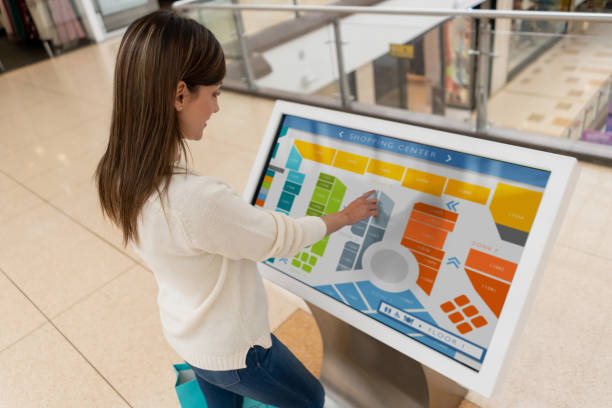
Choosing between an Android kiosk and a Windows kiosk is a critical decision when purchasing a self-service kiosk, interactive query terminal, or digital signage system. The operating system affects application compatibility, remote device management, hardware requirements, and long-term maintenance.
Although both platforms support interactive touchscreens, they serve different deployment needs. Android kiosks are often suitable for standardized touch applications, 디지털 간판, and cloud-managed devices. Windows kiosks are generally better suited to deployments that require Windows desktop software, specialized business applications, or integration with existing Windows IT infrastructure.
B2B 구매자의 경우, the right choice depends on what the kiosk needs to run, how the devices will be managed, and which peripherals must be connected.
1. Android Kiosk vs. Windows Kiosk: 주요 차이점
An Android kiosk typically runs a dedicated touch application, web interface, or digital signage platform. A Windows kiosk can support these functions as well, while offering broader compatibility with many traditional desktop applications and Windows-based business systems.
The main difference is not simply hardware price. It is whether the operating system matches the software, management model, and peripheral requirements of the deployment.
| Comparison factor | Android kiosk | Windows kiosk |
|---|---|---|
| Application compatibility | Android apps, web apps, and supported signage software | Windows desktop software, web apps, 및 엔터프라이즈 애플리케이션 |
| Typical applications | 길 찾기, 제품 카탈로그, information queries, 디지털 간판 | Business terminals, specialized query systems, enterprise applications |
| 원격 관리 | Commonly uses cloud-based device management platforms | Can use Windows management tools, remote support, and enterprise policies |
| Hardware requirements | Often lower for standardized applications | May require a more capable PC platform, depending on the software |
| Hardware and software costs | Often lower for straightforward deployments | May be higher due to PC hardware, 소프트웨어 라이센스, and IT requirements |
| Peripheral integration | Depends on Android drivers, 인터페이스, and application support | Often suitable for peripherals with Windows drivers and SDKs |
| IT environment | Suitable for cloud-managed device fleets | Suitable for organizations with established Windows infrastructure |
| Best-fit scenario | Standardized, remotely managed touch experiences | Specialized software and complex enterprise integration |
Actual cost, 성능, boot time, and peripheral compatibility depend on the hardware configuration, operating system version, application workload, and management solution.
2. When Should You Choose an Android Kiosk?
Android kiosks are a strong option when the primary purpose is to display information, collect touch input, or provide a standardized self-service experience.
Standardized Interactive Query Applications
Android is suitable for many purpose-built kiosk applications, 포함:
- Shopping mall directories and indoor wayfinding
- Retail product catalogs and promotional displays
- Visitor information and reception terminals
- Exhibition and museum information systems
- Touchscreen interfaces for basic service inquiries
If the application runs reliably on Android and does not require Windows-only software, an Android kiosk can provide the functionality needed without the additional complexity of a traditional desktop environment.
클라우드 기반 원격 관리
For businesses operating kiosks across multiple branches, remote management can be an important purchasing consideration.
Depending on the selected device management platform, Android kiosk fleets can support centralized application deployment, content updates, device monitoring, and remote configuration. This helps reduce the need for staff to visit every location for routine maintenance.
구매하기 전에, confirm whether the kiosk supports the required mobile device management (MDM) platform, remote reboot functions, application lockdown, and fleet monitoring features.
Cost-Conscious Digital Signage Deployments
Android hardware can be cost-effective for standardized digital signage and interactive terminals, particularly when the required application has modest processing needs.
For deployments involving dozens or hundreds of devices, buyers should evaluate total cost of ownership rather than hardware price alone. Installation, remote management subscriptions, 유지, network requirements, and replacement costs may also affect the overall budget.
Always-On Information Displays
Android-based systems can be suitable for continuous digital signage and information displays when the hardware is designed for the intended duty cycle.
하지만, continuous operation depends on the display panel, cooling design, power supply, firmware, and environmental conditions—not the operating system alone. Confirm the manufacturer’s operating specifications before deploying kiosks in demanding environments.
3. When Should You Choose a Windows Kiosk?
Windows kiosks are generally a better fit when the terminal must run existing desktop software, connect to enterprise systems, or support specialized peripherals.
Compatibility with Windows Business Software
Some organizations rely on software developed specifically for Windows. Examples may include desktop-based enterprise resource planning (ERP) modules, property management system (PMS) 클라이언트, specialized service applications, and legacy business programs.
If the required application depends on Windows APIs, desktop installers, or Windows-specific components, choosing a compatible Windows kiosk can simplify deployment.
Before finalizing the hardware, verify the software’s operating system requirements, processor and memory specifications, database connectivity, and licensing conditions.
Integration with Existing Enterprise IT Systems
Organizations that already manage Windows computers may prefer Windows kiosks because they can fit more naturally into an established IT environment.
Depending on the Windows edition and management configuration, available tools may include Group Policy, centralized endpoint management, remote support, and enterprise security controls.
This can help IT teams maintain consistent configuration and security policies across office computers and kiosk terminals.
하지만, not every Windows kiosk automatically supports every enterprise management feature. Buyers should confirm operating system edition, domain or identity requirements, management compatibility, and licensing before deployment.
Complex Peripheral Integration
Self-service terminals may need to connect to several devices, ~와 같은:
- Thermal receipt printers
- Barcode scanners
- RFID readers
- ID document scanners
- Card readers and payment terminals
- Specialized industrial or medical peripherals
Windows may offer a practical advantage when the required peripheral manufacturer provides Windows drivers, desktop utilities, or a Windows SDK.
Android can also support external peripherals, but compatibility depends on the device interface, 드라이버 가용성, application support, and hardware implementation. Confirm compatibility for every required peripheral before ordering.
Local Processing and Specialized Workflows
Some kiosks must process data locally, communicate with local databases, generate documents, or execute specialized desktop workflows.
Windows may be suitable when the application is built for that environment. Nevertheless, local processing capabilities depend on the actual hardware and software architecture. Neither operating system should be selected without validating processing requirements, data security, and network dependencies.
4. Android vs. Windows Kiosk: How to Choose the Right Platform
A practical selection process starts with software compatibility, then considers IT management and peripheral requirements.
Step 1: Identify the Required Application
Start by listing every application the kiosk must run.
Choose Android when the application is available for Android or runs correctly in a supported web environment. Consider Windows when the application requires a Windows desktop environment or depends on Windows-specific components.
Do not assume that a web-based application automatically performs equally well on both platforms. Validate browser compatibility, touchscreen behavior, screen resolution, and any required local services.
Step 2: Evaluate Your Device Management Model
Determine whether the terminals will be installed at one location or distributed across multiple sites.
For a multi-location rollout, assess centralized content deployment, remote updates, device monitoring, kiosk lockdown, and recovery options. Android may fit a cloud-managed signage workflow, while Windows may fit an existing enterprise endpoint management environment.
The best choice depends on the management platform and the actual capabilities of the selected device.
Step 3: Confirm Peripheral and Interface Requirements
Create a complete list of external devices and interfaces required by the application.
Check USB, serial, 이더넷, Wi-Fi, 블루투스, and other required connections against the terminal’s hardware specifications. Confirm the availability of drivers, SDKs, and technical support for the intended operating system.
A successful demonstration with a touchscreen alone does not establish compatibility with printers, scanners, payment devices, or other peripherals.
Step 4: Compare Total Cost of Ownership
Compare the complete cost of deployment, 포함:
- Kiosk hardware and display configuration
- Operating system and application licensing
- Device management software
- Peripheral integration and software development
- Installation and network configuration
- Security updates and ongoing maintenance
- Technical support and replacement planning
Android often has a cost advantage for straightforward deployments, while Windows may reduce integration effort when existing software already depends on Windows. The more economical option is the one that meets the requirements with the lowest overall deployment and maintenance burden.
5. Which Operating System Fits Your Kiosk Application?
The following examples provide a starting point for selecting an interactive kiosk platform.
| Deployment scenario | Platform to evaluate first | Key consideration |
|---|---|---|
| Shopping mall directory | 기계적 인조 인간 | Touch application and centralized content updates |
| Retail advertising kiosk | 기계적 인조 인간 | Signage software, display duty cycle, 원격 관리 |
| Exhibition information terminal | 기계적 인조 인간 | Application compatibility and user interface |
| Hotel self-service terminal | 안드로이드 또는 윈도우 | PMS compatibility and connected peripherals |
| Hospital information terminal | 안드로이드 또는 윈도우 | Application requirements, 보안, and peripheral integration |
| Government service terminal | 안드로이드 또는 윈도우 | Approved software, identity verification, and compliance |
| Enterprise query workstation | Windows when required by the application | Existing business software and IT infrastructure |
| Payment or document-processing kiosk | Depends on the complete solution | Payment certification, drivers, 보안, and vendor support |
These are typical evaluation scenarios, not fixed rules. 예를 들어, a hotel directory may run well on Android, while a hotel check-in terminal may require Windows or another platform supported by its property management software and peripherals.
The application specification should determine the operating system—not the industry label alone.
6. What Should B2B Buyers Confirm Before Ordering a Kiosk?
Selecting Android or Windows is only one part of kiosk procurement. The display, touch technology, enclosure, 인터페이스, and maintenance requirements also influence deployment success.
Before approving an order, confirm the following:
- 운영 체제: Exact version, licensing requirements, and application compatibility.
- Processor and memory: Sufficient performance for the intended workload.
- Display and touch: 화면 크기, 해결, 명도, touch technology, and expected usage environment.
- 연결성: Required wired and wireless network interfaces.
- Peripheral support: Confirmed compatibility with printers, scanners, card readers, and other devices.
- Device management: Remote updates, application lockdown, monitoring, and recovery requirements.
- 보안: User access restrictions, update policies, data protection, and physical tamper considerations.
- Mechanical design: Enclosure dimensions, mounting method, cable routing, and service access.
- Lifecycle support: Warranty, spare parts, software maintenance, and replacement planning.
대규모 배포의 경우, 대량 생산에 착수하기 전에 파일럿 장치를 요청하고 현실적인 작동 조건에서 전체 작업 흐름을 테스트합니다..
결론: 애플리케이션 요구 사항에 따라 키오스크 운영 체제 선택
Android 및 Windows 키오스크는 서로 다른 배포 우선순위를 제공합니다.. Android는 표준화된 대화형 애플리케이션을 위한 실용적인 선택인 경우가 많습니다., 디지털 간판, 및 클라우드 관리 장치 제품군. Windows는 일반적으로 Windows 데스크톱 소프트웨어에 의존하는 터미널에 더 적합합니다., 기업 IT 시스템 구축, 또는 Windows 전용 드라이버가 포함된 주변 장치.
올바른 플랫폼은 애플리케이션 호환성에 따라 다릅니다., 장치 관리, 하드웨어 인터페이스, 보안 요구 사항, 총 소유 비용.
대량 주문을 하기 전에, 생산 대표 키오스크에서 전체 애플리케이션 및 주변 장치 구성을 검증합니다..
HOSDA의 맞춤형 Android 및 Windows 키오스크
호스다가 제공하는 맞춤형 대화형 키오스크 및 디지털 사이니지 솔루션 운영 체제 옵션 포함, 인클로저 디자인, 터치스크린 구성, and peripheral integration.
지원 요구 사항을 공유하세요, 배포 환경, 프로젝트에 적합한 키오스크 구성을 논의하기 위한 하드웨어 사양.
