


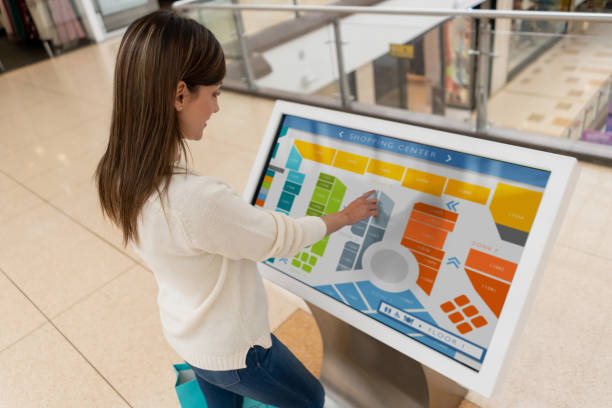
Choisir entre une borne Android et une borne Windows est une décision cruciale lors de l'achat d'une borne libre-service, terminal de requête interactif, ou système d'affichage numérique. Le système d'exploitation affecte la compatibilité des applications, gestion des appareils à distance, configuration matérielle requise, et entretien à long terme.
Bien que les deux plates-formes prennent en charge les écrans tactiles interactifs, ils répondent à différents besoins de déploiement. Les kiosques Android conviennent souvent aux applications tactiles standardisées, affichage numérique, et appareils gérés dans le cloud. Les kiosques Windows sont généralement mieux adaptés aux déploiements nécessitant un logiciel de bureau Windows, applications métiers spécialisées, ou intégration avec l'infrastructure informatique Windows existante.
Pour les acheteurs B2B, le bon choix dépend de ce dont le kiosque a besoin pour fonctionner, comment les appareils seront gérés, and which peripherals must be connected.
1. Android Kiosk vs. Windows Kiosk: Différences clés
An Android kiosk typically runs a dedicated touch application, web interface, or digital signage platform. A Windows kiosk can support these functions as well, while offering broader compatibility with many traditional desktop applications and Windows-based business systems.
The main difference is not simply hardware price. It is whether the operating system matches the software, management model, and peripheral requirements of the deployment.
| Comparison factor | Android kiosk | Windows kiosk |
|---|---|---|
| Application compatibility | Android apps, web apps, and supported signage software | Windows desktop software, web apps, et applications d'entreprise |
| Typical applications | Orientation, catalogues de produits, information queries, affichage numérique | Business terminals, specialized query systems, enterprise applications |
| Gestion à distance | Commonly uses cloud-based device management platforms | Can use Windows management tools, remote support, and enterprise policies |
| Hardware requirements | Often lower for standardized applications | May require a more capable PC platform, depending on the software |
| Hardware and software costs | Often lower for straightforward deployments | May be higher due to PC hardware, software licensing, and IT requirements |
| Peripheral integration | Depends on Android drivers, interfaces, and application support | Often suitable for peripherals with Windows drivers and SDKs |
| IT environment | Suitable for cloud-managed device fleets | Suitable for organizations with established Windows infrastructure |
| Best-fit scenario | Standardized, remotely managed touch experiences | Specialized software and complex enterprise integration |
Actual cost, performance, boot time, and peripheral compatibility depend on the hardware configuration, operating system version, application workload, and management solution.
2. When Should You Choose an Android Kiosk?
Android kiosks are a strong option when the primary purpose is to display information, collect touch input, or provide a standardized self-service experience.
Standardized Interactive Query Applications
Android is suitable for many purpose-built kiosk applications, y compris:
- Shopping mall directories and indoor wayfinding
- Retail product catalogs and promotional displays
- Visitor information and reception terminals
- Exhibition and museum information systems
- Touchscreen interfaces for basic service inquiries
If the application runs reliably on Android and does not require Windows-only software, an Android kiosk can provide the functionality needed without the additional complexity of a traditional desktop environment.
Gestion à distance basée sur le cloud
For businesses operating kiosks across multiple branches, remote management can be an important purchasing consideration.
Depending on the selected device management platform, Android kiosk fleets can support centralized application deployment, content updates, device monitoring, and remote configuration. This helps reduce the need for staff to visit every location for routine maintenance.
Avant d'acheter, confirm whether the kiosk supports the required mobile device management (MDM) platform, remote reboot functions, application lockdown, and fleet monitoring features.
Cost-Conscious Digital Signage Deployments
Android hardware can be cost-effective for standardized digital signage and interactive terminals, particularly when the required application has modest processing needs.
For deployments involving dozens or hundreds of devices, buyers should evaluate total cost of ownership rather than hardware price alone. Installation, remote management subscriptions, entretien, network requirements, and replacement costs may also affect the overall budget.
Always-On Information Displays
Android-based systems can be suitable for continuous digital signage and information displays when the hardware is designed for the intended duty cycle.
Cependant, continuous operation depends on the display panel, cooling design, power supply, firmware, and environmental conditions—not the operating system alone. Confirm the manufacturer’s operating specifications before deploying kiosks in demanding environments.
3. When Should You Choose a Windows Kiosk?
Windows kiosks are generally a better fit when the terminal must run existing desktop software, connect to enterprise systems, or support specialized peripherals.
Compatibility with Windows Business Software
Some organizations rely on software developed specifically for Windows. Examples may include desktop-based enterprise resource planning (ERP) modules, property management system (PMS) clients, specialized service applications, and legacy business programs.
If the required application depends on Windows APIs, desktop installers, or Windows-specific components, choosing a compatible Windows kiosk can simplify deployment.
Before finalizing the hardware, verify the software’s operating system requirements, processor and memory specifications, database connectivity, and licensing conditions.
Integration with Existing Enterprise IT Systems
Organizations that already manage Windows computers may prefer Windows kiosks because they can fit more naturally into an established IT environment.
Depending on the Windows edition and management configuration, available tools may include Group Policy, centralized endpoint management, remote support, and enterprise security controls.
This can help IT teams maintain consistent configuration and security policies across office computers and kiosk terminals.
Cependant, not every Windows kiosk automatically supports every enterprise management feature. Buyers should confirm operating system edition, domain or identity requirements, management compatibility, and licensing before deployment.
Complex Peripheral Integration
Self-service terminals may need to connect to several devices, tel que:
- Thermal receipt printers
- Barcode scanners
- RFID readers
- ID document scanners
- Card readers and payment terminals
- Specialized industrial or medical peripherals
Windows may offer a practical advantage when the required peripheral manufacturer provides Windows drivers, desktop utilities, or a Windows SDK.
Android can also support external peripherals, but compatibility depends on the device interface, driver availability, application support, and hardware implementation. Confirm compatibility for every required peripheral before ordering.
Local Processing and Specialized Workflows
Some kiosks must process data locally, communicate with local databases, generate documents, or execute specialized desktop workflows.
Windows may be suitable when the application is built for that environment. Nevertheless, local processing capabilities depend on the actual hardware and software architecture. Neither operating system should be selected without validating processing requirements, data security, and network dependencies.
4. Android vs. Windows Kiosk: How to Choose the Right Platform
A practical selection process starts with software compatibility, then considers IT management and peripheral requirements.
Step 1: Identify the Required Application
Start by listing every application the kiosk must run.
Choose Android when the application is available for Android or runs correctly in a supported web environment. Consider Windows when the application requires a Windows desktop environment or depends on Windows-specific components.
Do not assume that a web-based application automatically performs equally well on both platforms. Validate browser compatibility, touchscreen behavior, screen resolution, and any required local services.
Step 2: Evaluate Your Device Management Model
Determine whether the terminals will be installed at one location or distributed across multiple sites.
For a multi-location rollout, assess centralized content deployment, remote updates, device monitoring, kiosk lockdown, and recovery options. Android may fit a cloud-managed signage workflow, while Windows may fit an existing enterprise endpoint management environment.
The best choice depends on the management platform and the actual capabilities of the selected device.
Step 3: Confirm Peripheral and Interface Requirements
Create a complete list of external devices and interfaces required by the application.
Check USB, serial, Ethernet, Wi-Fi, Bluetooth, and other required connections against the terminal’s hardware specifications. Confirm the availability of drivers, SDKs, and technical support for the intended operating system.
A successful demonstration with a touchscreen alone does not establish compatibility with printers, scanners, payment devices, or other peripherals.
Step 4: Compare Total Cost of Ownership
Compare the complete cost of deployment, y compris:
- Kiosk hardware and display configuration
- Operating system and application licensing
- Device management software
- Peripheral integration and software development
- Installation and network configuration
- Security updates and ongoing maintenance
- Technical support and replacement planning
Android often has a cost advantage for straightforward deployments, while Windows may reduce integration effort when existing software already depends on Windows. The more economical option is the one that meets the requirements with the lowest overall deployment and maintenance burden.
5. Which Operating System Fits Your Kiosk Application?
The following examples provide a starting point for selecting an interactive kiosk platform.
| Deployment scenario | Platform to evaluate first | Key consideration |
|---|---|---|
| Shopping mall directory | Androïde | Touch application and centralized content updates |
| Retail advertising kiosk | Androïde | Signage software, display duty cycle, et gestion à distance |
| Exhibition information terminal | Androïde | Application compatibility and user interface |
| Hotel self-service terminal | Android or Windows | Compatibilité PMS et périphériques connectés |
| Borne d'information hospitalière | Android or Windows | Exigences de candidature, sécurité, et intégration périphérique |
| Terminal de services gouvernementaux | Android or Windows | Logiciel approuvé, vérification d'identité, et conformité |
| Poste de travail de requête d'entreprise | Windows lorsque l'application le requiert | Logiciels d'entreprise et infrastructure informatique existants |
| Borne de paiement ou de traitement de documents | Cela dépend de la solution complète | Attestation de paiement, conducteurs, sécurité, et support fournisseur |
Ce sont des scénarios d’évaluation typiques, pas de règles fixes. Par exemple, un annuaire d'hôtels peut bien fonctionner sur Android, tandis qu'un terminal d'enregistrement d'hôtel peut nécessiter Windows ou une autre plate-forme prise en charge par son logiciel de gestion immobilière et ses périphériques..
La spécification de l'application doit déterminer le système d'exploitation, et non pas uniquement l'étiquette de l'industrie..
6. Que doivent confirmer les acheteurs B2B avant de commander un kiosque?
La sélection d'Android ou de Windows n'est qu'une partie de l'achat d'un kiosque. L'affichage, technologie tactile, enceinte, interfaces, et les exigences de maintenance influencent également le succès du déploiement.
Avant d'approuver une commande, confirmer ce qui suit:
- Système opérateur: Version exacte, exigences en matière de licence, et compatibilité des applications.
- Processeur et mémoire: Performances suffisantes pour la charge de travail prévue.
- Affichage et toucher: Taille de l'écran, résolution, luminosité, technologie tactile, et l'environnement d'utilisation attendu.
- Connectivité: Interfaces réseau filaires et sans fil requises.
- Prise en charge des périphériques: Compatibilité confirmée avec les imprimantes, scanners, lecteurs de cartes, et autres appareils.
- Gestion des appareils: Mises à jour à distance, application lockdown, surveillance, et exigences de récupération.
- Sécurité: Restrictions d'accès des utilisateurs, mettre à jour les politiques, protection des données, et considérations d'altération physique.
- Conception mécanique: Dimensions du boîtier, méthode de montage, acheminement des câbles, et accès aux services.
- Prise en charge du cycle de vie: Garantie, des pièces de rechange, maintenance du logiciel, et planification du remplacement.
Pour les grands déploiements, demandez une unité pilote et testez le flux de travail complet dans des conditions de fonctionnement réalistes avant de vous engager dans la production de masse.
Conclusion: Choisissez un système d'exploitation de kiosque en fonction des exigences de l'application
Les kiosques Android et Windows répondent à des priorités de déploiement différentes. Android est souvent un choix pratique pour les applications interactives standardisées, affichage numérique, et flottes d'appareils gérées dans le cloud. Windows est généralement mieux adapté aux terminaux qui dépendent du logiciel de bureau Windows, systèmes informatiques d'entreprise établis, ou périphériques avec des pilotes spécifiques à Windows.
La bonne plateforme dépend de la compatibilité des applications, gestion des appareils, interfaces matérielles, exigences de sécurité, et coût total de possession.
Avant de passer une commande groupée, valider l'application complète et la configuration des périphériques sur un kiosque représentant la production.
Kiosques Android et Windows personnalisés de HOSDA
HOSDA fournit customizable interactive kiosks and digital signage solutions with options for operating system, enclosure design, touchscreen configuration, et intégration périphérique.
Share your application requirements, deployment environment, and hardware specifications to discuss a suitable kiosk configuration for your project.
