


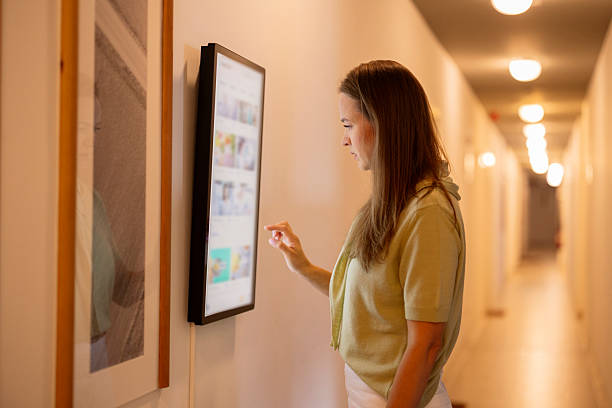
Commercial spaces increasingly use interactive displays to improve customer engagement and deliver information. Retail stores, hotels, shopping malls, and exhibition centers need screens that combine clear visuals, reliable operation, and convenient interaction. A wall-mounted touchscreen display provides a space-saving solution for these environments. It allows visitors to browse information, explore products, access services, and navigate public spaces without requiring a separate kiosk.
However, commercial wall-mounted displays face several engineering challenges. Heavy screens require secure mounting structures. Flush-wall installations need suitable thermal management. Close-range interaction also makes resolution, touch accuracy, and response speed important.
For B2B buyers, selecting a commercial touchscreen display requires more than comparing screen sizes and prices. This guide explains the key design considerations, installation requirements, touch capabilities, and deployment scenarios for retail and public spaces.
1. Enhancing Customer Engagement with Wall-Mounted Interactive Screens
A wall-mounted interactive display can turn a passive advertising surface into an information and service point. Instead of only showing promotional content, it allows visitors to interact with digital information directly.
1.1 Retail Stores: Creating Interactive Shopping Experiences
Retail environments use touchscreen displays to connect product information with customer decisions.
Common applications include:
- Interactive product catalogs.
- Digital promotional campaigns.
- Product comparison interfaces.
- Store directory and department information.
- Brand storytelling and product demonstrations.
- QR code access to online product details.
For example, a touchscreen near a product section can display specifications, available colors, usage instructions, and related products.
Customers can explore information independently. Meanwhile, retailers can update digital content without replacing printed promotional materials.
For brands with large product catalogs, interactive screens can also reduce the need for multiple physical information boards.
1.2 Hotels: Improving Guest Services and Lobby Navigation
Hotel lobbies often receive guests with different service needs. A wall-mounted touchscreen can provide quick access to frequently requested information.
Typical functions include:
- Hotel service directories.
- Restaurant and facility information.
- Local attraction recommendations.
- Event schedules and meeting room directions.
- Multilingual guest information.
- Digital concierge interfaces.
A hotel touchscreen display can also connect with reservation or property management systems when the software architecture supports integration.
However, features such as digital check-in and room access require appropriate backend systems, authentication, and data security. A touchscreen alone does not provide these functions.
1.3 Exhibition Centers and Public Spaces: Interactive Information Delivery
Exhibition halls, museums, transportation hubs, and public buildings often need clear information for large numbers of visitors.
Wall-mounted interactive screens can support:
- Exhibition introductions.
- Interactive maps.
- Public announcements.
- Event schedules.
- Facility directories.
- Educational content.
- Visitor guidance.
Compared with static signs, interactive interfaces allow visitors to search for specific information.
For public environments, the interface should remain simple and accessible. Large touch targets, readable text, clear navigation, and multilingual options can improve usability.
1.4 Why Wall-Mounted Displays Suit Commercial Interiors
Wall-mounted installations offer several practical advantages.
| Advantage | Commercial Value |
|---|---|
| Space efficiency | Keeps floors and walkways clear |
| Fixed positioning | Provides a consistent viewing location |
| Interactive access | Allows direct visitor engagement |
| Digital content updates | Reduces dependence on printed materials |
| Flexible installation | Supports different wall layouts and interior designs |
| Centralized information | Makes directories and service details easier to access |
The final display configuration should match the viewing distance, visitor traffic, content type, and available installation space.
2. Structural and Safety Engineering: VESA Mounting, Weight, and Slim Profiles
Mounting safety is a critical consideration for large wall-mounted touchscreen displays.
A screen installed above a public walkway must remain securely attached during daily operation. Its weight creates a continuous load on the mounting structure. Poor wall conditions, unsuitable anchors, or incorrect installation can increase the risk of detachment.
Therefore, buyers should evaluate the complete mounting system rather than rely on the display’s VESA pattern alone.
2.1 Understanding VESA Mounting Standards
VESA mounting patterns define the spacing of mounting holes on compatible display products.
Common patterns include:
- 75 × 75 mm.
- 100 × 100 mm.
- 200 × 100 mm.
- 200 × 200 mm.
- 400 × 200 mm.
- 400 × 400 mm.
These dimensions describe the horizontal and vertical distance between mounting holes.
A compatible VESA pattern makes it easier to select a suitable mounting bracket. However, it does not confirm that the bracket can safely support the display.
Before installation, buyers should verify:
- The display’s VESA pattern.
- The display’s total weight.
- The bracket’s rated load capacity.
- The mounting hardware specifications.
- The wall material and structural condition.
- The installation method and safety requirements.
The display, bracket, fasteners, and wall structure must work as one system.
2.2 Weight Distribution and Wall Load
A large commercial display creates more than a simple downward force.
Its weight produces a load on the mounting points. A wall bracket that extends away from the wall can also create a bending moment.
For a simplified static model:
Moment = Display Weight × Horizontal Offset
Here, the horizontal offset is the distance between the wall and the display’s center of gravity.
A larger offset can increase the moment acting on the mounting structure.
This is why a slim, well-designed mounting arrangement may help reduce the lever arm. However, a thin display profile alone does not guarantee safe installation.
The actual design must consider the display’s weight, center of gravity, bracket geometry, fasteners, wall construction, and applicable safety requirements.
For heavy displays in public areas, qualified installers should assess the wall and mounting system before installation.
2.3 Anti-Drop Protection for Public Installations
For screens installed in high-traffic areas, additional retention measures may be appropriate.
Depending on the display and installation design, these may include:
- Secondary safety cables.
- Mechanical locking brackets.
- Anti-lift mechanisms.
- Locking screws or safety fasteners.
- Reinforced mounting points.
A safety cable should connect to suitable structural points. It should not attach to a decorative panel or an unsupported wall surface.
The cable and its connection points must also be appropriate for the expected load and installation conditions.
Secondary retention is an additional safeguard. It does not replace correct bracket selection or proper wall anchoring.
2.4 Slim Profiles and Installation Space
Slim-profile displays create a clean appearance in modern commercial interiors.
They can reduce the visual distance between the screen and the wall. This may be useful in retail stores, hotel lobbies, and exhibition areas with limited installation space.
However, a slim design also affects access to connectors, cable routing, and heat dissipation.
Buyers should confirm:
- Overall display depth.
- Rear connector positions.
- Cable bending space.
- Wall bracket clearance.
- Maintenance access.
- Required ventilation gaps.
A flush appearance should not come at the expense of serviceability or thermal performance.
2.5 Wall-Mounting Safety Checklist
Before approving a commercial touchscreen installation, review the following points:
| Inspection Item | What to Verify |
|---|---|
| VESA compatibility | Hole pattern and mounting dimensions |
| Display weight | Actual installed weight, including accessories |
| Bracket capacity | Rated load and mounting configuration |
| Wall structure | Concrete, brick, stud, or other wall construction |
| Fasteners | Correct type, size, and installation method |
| Center of gravity | Display balance and bracket loading |
| Secondary retention | Whether safety cables or locking features are needed |
| Maintenance access | Ability to inspect and service the installation |
This checklist helps buyers avoid treating mounting compatibility as proof of installation safety.
3. Thermal Management for Wall-Flush Installations
Thermal management is another important consideration for wall-mounted interactive displays.
Unlike desktop monitors, wall-mounted screens may have limited rear clearance. When a display sits close to the wall, airflow around the enclosure can become restricted.
If heat cannot escape effectively, internal temperatures may rise. This can affect system stability, component lifespan, and long-term operating reliability.
3.1 Why Flush-Wall Installation Can Increase Heat Buildup
Commercial touchscreen displays contain several heat-generating components.
These may include:
- LCD backlight modules.
- Display control boards.
- Touch controllers.
- CPUs and graphics processors.
- Power supply units.
- Network and communication modules.
The total heat output depends on screen size, brightness, computing configuration, and operating workload.
When a display is installed too close to the wall, the rear ventilation path may become restricted.
This can reduce natural convection and create local hot spots around the enclosure.
Therefore, installation planning should consider both the display’s thermal design and the surrounding environment.
3.2 Passive Cooling and Fan-Assisted Cooling
Different display designs use different cooling methods.
| Cooling Method | Working Principle | Main Considerations |
|---|---|---|
| Passive cooling | Transfers heat through the enclosure and surrounding air | Quiet operation and sufficient heat dissipation area |
| Fan-assisted cooling | Uses fans to move air through the enclosure | Airflow, dust, noise, and fan maintenance |
| Hybrid cooling | Combines passive heat transfer with controlled airflow | Balances cooling performance and operating noise |
Passive cooling can be suitable for systems designed around lower heat output and effective heat transfer.
Fan-assisted cooling may be necessary for higher-performance systems or demanding operating conditions.
However, a fan does not automatically solve poor installation ventilation. The intake and exhaust paths must remain unobstructed.
3.3 Ventilation Design for Wall-Mounted Touchscreen Displays
A well-planned ventilation layout helps the display release heat during continuous operation.
Depending on the enclosure design, airflow may move through:
- Rear ventilation openings.
- Side air inlets.
- Bottom intake channels.
- Top exhaust openings.
- Internal heat spreaders or thermal paths.
Buyers should follow the manufacturer’s installation clearance requirements.
Avoid placing the display against decorative panels that block its ventilation openings. Also consider whether nearby lighting, HVAC outlets, or other equipment may affect the local temperature.
For recessed or flush-wall installations, confirm that the mounting cavity provides sufficient space for airflow and heat release.
3.4 Temperature Monitoring and Automatic Performance Control
Some commercial display systems support temperature monitoring and thermal protection.
Depending on the hardware and firmware, protective responses may include:
- Fan speed adjustment.
- Brightness reduction.
- CPU performance throttling.
- Temperature warnings.
- Controlled system shutdown.
Automatic throttling reduces system workload when temperatures approach defined limits. However, it may also affect application performance.
For example, a display running interactive 3D maps may need more processing resources than one showing static promotional content.
Therefore, buyers should evaluate thermal performance under the intended software workload, not only during idle operation.
3.5 Questions to Ask Before Installation
When evaluating a wall-mounted touchscreen display, ask the supplier:
- What is the recommended operating temperature range?
- Does the enclosure use passive, fan-assisted, or hybrid cooling?
- Where are the air intake and exhaust openings?
- What rear clearance is required?
- Can the display support continuous operation under the intended brightness setting?
- Does the system provide temperature monitoring or thermal protection?
- Are there special requirements for recessed installations?
These questions help buyers match the display’s thermal design to the actual installation environment.
4. Multi-Touch Capabilities: 10 to 20 Points for Multi-User Interaction
Touch performance determines how effectively visitors can use an interactive display.
A commercial touchscreen should respond accurately to taps, swipes, scrolling, and supported gestures. For applications involving maps, product catalogs, or collaborative presentations, multi-touch capability becomes especially important.
4.1 Understanding 10-Point and 20-Point Touch
Multi-touch technology allows a screen to recognize several simultaneous touch contacts.
A 10-point touchscreen can recognize up to ten simultaneous touch points under supported conditions. A 20-point touchscreen can recognize up to twenty.
These capabilities can support:
- Multi-finger gestures.
- Image zooming and rotation.
- Interactive map navigation.
- Collaborative presentations.
- Shared educational activities.
- Multi-user content exploration.
However, the number of touch points does not directly determine how many people can use the screen comfortably.
Actual multi-user performance depends on screen size, user positioning, interface design, touch controller performance, and software support.
4.2 Capacitive Touch and Other Touch Technologies
Different touchscreen technologies suit different commercial applications.
| Touch Technology | General Characteristics | Typical Considerations |
|---|---|---|
| Projected capacitive (PCAP) | Supports multi-touch and responsive finger interaction | Requires compatible cover glass and touch configuration |
| Infrared touch | Detects touch through an infrared grid around the display | Bezel design, environmental conditions, and object interference |
| Surface acoustic wave | Uses acoustic waves across the touch surface | Surface cleanliness and environmental suitability |
| Resistive touch | Detects pressure applied to layered surfaces | Touch feel, optical properties, and multi-touch limitations |
Projected capacitive technology is common in modern interactive displays. It can support smooth finger gestures and multi-point input.
Infrared technology may suit certain large-format interactive screens.
The correct option depends on screen size, installation environment, interaction requirements, and budget.
4.3 Resolution and Touch Accuracy for Close-Range Viewing
Resolution affects how clearly a display presents text, icons, maps, and detailed images.
For screens used at close range, buyers should evaluate pixel density rather than screen resolution alone.
Pixel density is commonly expressed in pixels per inch (PPI).
A simplified calculation is:
PPI = √(Horizontal Pixels² + Vertical Pixels²) ÷ Screen Diagonal in Inches
For example, two displays may both use a 1920 × 1080 resolution. However, the smaller display has a higher pixel density.
This can make text and interface elements appear sharper at the same viewing distance.
Touch accuracy is a separate consideration.
A display may show detailed images but still provide a poor interaction experience if touch coordinates are inaccurate or the interface uses very small buttons.
For close-range commercial use, buyers should assess:
- Native display resolution.
- Screen size and pixel density.
- Viewing distance.
- Text and icon dimensions.
- Touch accuracy across the screen.
- Edge and corner response.
- Touch latency and response consistency.
A useful evaluation combines visual inspection with actual touch testing.
4.4 Multi-Touch Software Compatibility
Hardware support alone does not guarantee that every application can use multiple touch points.
The operating system, touch driver, application framework, and software interface must support the required input method.
For example, a touchscreen may recognize ten simultaneous contacts. However, an application designed for single-finger navigation may not support multi-user collaboration.
Before purchasing, confirm:
- Supported operating systems.
- Touch driver availability.
- Maximum simultaneous touch points.
- Gesture support.
- Application compatibility.
- Calibration and configuration options.
This helps prevent a mismatch between advertised touch specifications and actual application performance.
5. Case Studies and Deployment Guide: Mall Wayfinding and Hotel Concierge
Wall-mounted interactive displays can support different commercial workflows.
The following examples illustrate typical deployment scenarios. They are application models rather than claims about completed HOSDA customer projects.
5.1 Shopping Mall: Interactive Wayfinding and 3D Maps
Shopping malls often contain multiple floors, retail zones, restaurants, service counters, and entertainment facilities.
A wall-mounted touchscreen display can provide an interactive directory that helps visitors locate destinations.
Possible functions include:
- Search by store name or category.
- Interactive floor maps.
- Route guidance between floors.
- Promotional banners.
- Restaurant and facility directories.
- Event and campaign information.
A 3D map can improve visual presentation when the software and map data support it.
However, route guidance requires accurate floor plans, location data, and a suitable navigation interface.
For deployment, buyers should consider screen brightness, viewing height, touch response, and network connectivity.
The display should also be positioned where visitors can interact without blocking major pedestrian routes.
5.2 Hotel Lobby: Digital Concierge and Guest Information
Hotels can use interactive screens to provide information before guests reach the reception desk.
A digital concierge interface may display:
- Hotel facilities.
- Restaurant opening information.
- Meeting room locations.
- Local transportation guidance.
- Nearby attractions.
- Event schedules.
- Frequently asked questions.
For multilingual hotels, language selection should be visible and easy to use.
If the system includes check-in, booking, or payment functions, the project also needs appropriate software integration and data protection measures.
The display hardware should be selected according to the intended workload, network requirements, and operating schedule.
5.3 Exhibition Center: Interactive Product and Event Presentation
Exhibition centers need to present large amounts of information in a clear and engaging format.
A wall-mounted interactive screen can allow visitors to explore:
- Exhibitor profiles.
- Product specifications.
- Event schedules.
- Hall layouts.
- Digital catalogs.
- Multimedia presentations.
For technical exhibitions, high-resolution images and detailed product information can help visitors examine features more closely.
Touchscreen interfaces should use clear categories and intuitive navigation. Visitors should be able to return to the home screen easily.
5.4 Public Information Displays: Balancing Access and Durability
Public buildings and transportation facilities may use wall-mounted displays for information delivery.
Typical content includes:
- Public notices.
- Service directories.
- Timetables.
- Emergency information.
- Facility maps.
- Visitor instructions.
These environments may expose displays to frequent interaction, dust, accidental impact, or extended operating hours.
Buyers should consider enclosure durability, glass protection, mounting security, operating temperature, and maintenance access.
If the display is installed in an unsupervised public area, additional physical protection and software access controls may also be necessary.
5.5 Deployment Checklist for Commercial Projects
A structured deployment process can reduce installation and operating risks.
| Project Stage | Key Questions |
|---|---|
| Application planning | What information or service will the screen provide? |
| Display selection | What size, resolution, brightness, and touch technology are required? |
| Mounting assessment | Can the wall and bracket support the installed display? |
| Thermal planning | Are ventilation paths and installation clearances sufficient? |
| Software preparation | Does the application support the required touch functions? |
| Network planning | Is wired or wireless connectivity available and reliable? |
| Installation | Are mounting, cabling, and safety measures correctly implemented? |
| Testing | Have image quality, touch response, and thermal behavior been checked? |
| Maintenance | Can technicians access the display and replace components when needed? |
A clear deployment plan helps align the display specification with the actual commercial environment.
6. How to Choose a Wall-Mounted Touchscreen Display Supplier
For B2B buyers, supplier selection affects both product customization and long-term deployment.
A suitable supplier should understand the relationship between display hardware, installation conditions, and application requirements.
6.1 Review Display Specifications
Request clear information about:
- Screen size and native resolution.
- Brightness and contrast.
- Viewing angles.
- Touch technology and simultaneous touch points.
- Operating system and processor configuration.
- Connectivity interfaces.
- Power requirements.
- Enclosure dimensions and weight.
- Operating temperature range.
Compare specifications against the project requirements rather than choosing based on one headline feature.
6.2 Confirm Customization and Integration Requirements
Commercial projects may require different screen sizes, enclosure designs, interfaces, and software configurations.
Before ordering, confirm whether the proposed solution supports the required:
- Display dimensions.
- Wall-mounting structure.
- Touch configuration.
- External interfaces.
- Operating system.
- Network connection.
- Branding and enclosure customization.
- Software integration.
The supplier should clarify which functions are standard and which require additional development or third-party integration.
6.3 Evaluate Samples and Technical Support
A product sample allows buyers to check image quality, touch response, enclosure finish, and connector placement.
For larger projects, a pilot installation can also reveal issues that are difficult to identify from a specification sheet.
Useful evaluation points include:
- Touch response at screen edges.
- Text clarity at the intended viewing distance.
- Screen brightness under ambient lighting.
- Mounting compatibility.
- Thermal performance during extended operation.
- Cable access and maintenance convenience.
Technical support should also cover installation documentation, configuration guidance, and troubleshooting procedures.
7. Frequently Asked Questions About Wall-Mounted Touchscreen Displays
Q1. What is a wall-mounted touchscreen display used for?
A wall-mounted touchscreen display allows users to interact with digital content directly on a fixed screen.
Common applications include retail product catalogs, hotel concierge systems, shopping mall directories, exhibition presentations, and public information services.
Q2. What VESA standard should I choose for a wall-mounted display?
The correct VESA pattern depends on the display’s mounting-hole layout.
Common patterns include 75 × 75 mm, 100 × 100 mm, 200 × 200 mm, and 400 × 400 mm.
However, buyers must also check display weight, bracket capacity, wall structure, and fastener requirements.
Q3. How can I prevent a large touchscreen from falling off the wall?
Use a compatible mounting bracket with suitable load capacity and correctly specified fasteners.
The wall structure must also support the installed load. For heavy public-area displays, professional installation and secondary safety retention may be appropriate.
Always follow the manufacturer’s installation instructions.
Q4. How does a wall-mounted touchscreen prevent overheating?
Thermal performance depends on enclosure design, heat transfer, airflow, ambient temperature, and operating workload.
Passive cooling, fan-assisted cooling, or hybrid systems may be used.
Buyers should confirm the required ventilation clearance and ensure that wall installation does not block air intake or exhaust openings.
Q5. Is a 10-point or 20-point touchscreen better?
Neither option is universally better.
A 10-point screen may be sufficient for common navigation and gesture-based applications. A 20-point screen may support more simultaneous touch contacts.
The right choice depends on the software, screen size, user experience, and number of simultaneous interactions required.
Q6. What resolution is suitable for a commercial interactive display?
The required resolution depends on screen size, viewing distance, and content.
A larger screen does not automatically need the highest available resolution. Buyers should evaluate pixel density, text readability, image detail, and actual viewing conditions.
Q7. Can a wall-mounted touchscreen display support hotel check-in or payment?
It can serve as the user interface for these functions when compatible software and backend systems are integrated.
Payment processing, identity verification, booking management, and guest data handling require additional systems and security controls.
The display itself does not provide these services automatically.
Conclusion: Match Display Engineering with Real Commercial Requirements
A reliable wall-mounted touchscreen display should balance visual performance, mounting safety, thermal management, and interactive functionality.
VESA compatibility helps buyers identify suitable mounting options, but safe installation also depends on the bracket, fasteners, wall structure, and display weight. Slim-profile designs can improve interior integration, yet they must preserve ventilation and maintenance access.
Thermal management is equally important. Buyers should understand the cooling method, ventilation layout, operating conditions, and thermal protection features before approving a flush-wall installation.
For interactive applications, resolution, pixel density, touch accuracy, and software compatibility all influence the user experience. Ten-point or twenty-point touch specifications should be evaluated against actual application requirements.
Ultimately, successful commercial deployment begins with a clear understanding of the environment and intended use. By evaluating the complete display system rather than isolated specifications, buyers can make more informed purchasing decisions.
HOSDA provides customized LCD advertising display solutions for commercial applications. Share your target screen size, installation environment, touch requirements, and intended use to discuss a suitable display configuration.
