


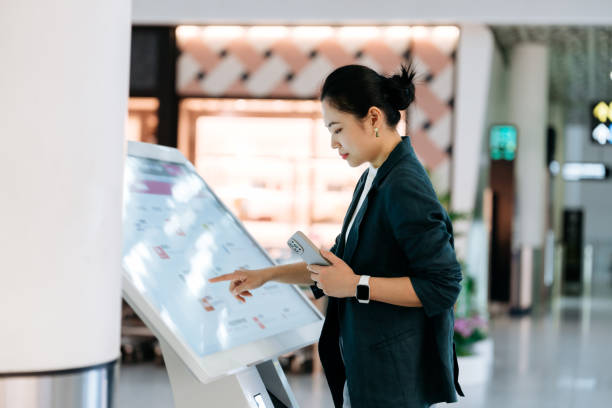
Beim Einsatz von bodenstehenden Digital Signage- oder Selbstbedienungskiosken in stark frequentierten Gewerbeflächen, business owners often prioritize display resolution and software features. Jedoch, physical ergonomics—specifically base construction and screen positioning—play a fundamental role in determining how comfortably and frequently people interact with the machine.
A common question raised by retail designers, airport planners, and enterprise procurement officers is: “How significantly does base design affect user experience, and is an S-shaped base truly better than a standard straight pillar?”
Understanding the biomechanics of public interaction, screen viewing heights, and structural stability is key to choosing an interactive kiosk that drives engagement rather than physical discomfort.
The Hidden Value of the S-Shaped Base: Stability and Foot Clearance
Standard straight-column kiosks force users to keep their feet at a distance from the device’s center, requiring them to lean forward awkwardly when tapping the upper portions of a screen.
| Ergonomic Feature | Straight Pillar Kiosk | S-Shaped Base Kiosk |
|---|---|---|
| Frame Structure | Upright straight column | Curved S-shaped frame |
| Foot Position | Feet remain farther from the screen | Recessed space allows closer positioning |
| Screen Interaction | May require forward leaning | Supports a more natural reach |
| User Posture | Less ergonomic during extended use | More comfortable and upright |
| Accessibility | Limited lower-body clearance | Improved foot and leg clearance |
| Ideal Application | Basic self-service environments | Interactive and high-traffic kiosks |
1. Natural Proximity and Footstep Clearance
Ein S-shaped aluminum alloy base provides an ergonomic curve that creates recessed space for a user’s feet. This structural contour allows individuals to step closer to the screen naturally, maintaining a comfortable, upright posture without stubbing their toes or straining their back during multi-touch interactions.
2. Rearward Center of Gravity and Safety
Public kiosks must withstand accidental bumps and heavy daily use in crowded environments. The S-shaped base shifts the device’s center of gravity lower and slightly rearward. This architectural balance drastically lowers tipping risks while maintaining a sleek, modern profile suitable for luxury hotels, corporate lobbies, and retail showrooms.
Screen Height and Sightline Engineering: Eliminating Strain
The viewing center of a vertical inquiry kiosk directly dictates how long users remain engaged. Wenn die Höhe des Displays nicht mit der menschlichen Sichtlinie übereinstimmt, Benutzer werden gezwungen, sich zu bücken oder ihren Hals anzustrengen, was zu schneller Ermüdung führt.
Sightline- und Touch-Reach-Design
Das Display nutzt eine ergonomische Architektur, die auf eine natürliche Augenhöhe von ca 135–145 cm. Es ist 178° weiter Betrachtungswinkel Hält Inhalte aus verschiedenen Positionen klar sichtbar, ohne dass sich Benutzer bücken müssen.
Gleichzeitig, Die fortschrittlicher kapazitiver Touchscreen unten finden Sie eine Reaktionszeit 7 MS. Dieses Design ermöglicht schnelles, Präzise Touch-Interaktionen für einen reibungsloseren Betrieb in kommerziellen und interaktiven Umgebungen.
1. Optimale vertikale Bildschirmmitte
Industriedesignstandards platzieren den optischen Mittelpunkt eines interaktiven Kioskbildschirms dazwischen 135 cm und 145 cm vom Boden aus – passend zur natürlichen Horizontlinie eines stehenden Erwachsenen.
2. Große Betrachtungswinkel für Gruppenbetrachtung
An Orten wie Einkaufszentren, Ausstellungshallen, or transit hubs, multiple people often gather around a single kiosk for wayfinding or menu browsing. Incorporating display panels with 178° ultra-wide viewing angles ensures that brightness, color fidelity, and screen clarity remain consistent even when viewed from extreme side angles.
Hardware Integration: Touch Precision and Multi-Zone Content
A well-designed enclosure must be matched with fluid touch response and flexible content presentation to deliver a complete interactive experience.
       OPERATIONAL HARDWARE ARCHITECTURE

     [ Dual OS Support: Android & Windows ]
                       │
  ┌─────────────────────┼─┐
  │                    │                    │
[Capacitive Touch] [Split-Screen Engine] [Smart Cloud CMS]
Instant gesture    1 to 4 section layout  Remote scheduling
control & wayfinding  for media promos     & multi-site sync
1. Instantaneous Capacitive Touch
Slow touch response creates a frustrating, unintuitive experience. Equipping interactive displays with highly responsive capacitive touch technology provides smooth gesture control, pinch-to-zoom capabilities, and zero-delay inputs—delivering a fluid, tablet-like experience on a commercial scale.
2. Dynamic Split-Screen Layouts
To maximize visual impact, modern kiosks leverage intelligent split-screen functionality. By dividing a 4K display into one to four distinct zones, businesses can simultaneously broadcast high-definition promo videos, scrolling announcements, and interactive directory maps on a single terminal.
Summary and Practical Buying Advice
Investing in vertical inquiry kiosks requires balancing physical ergonomics with technological performance. An S-shaped base design not only elevates architectural aesthetics but also enhances stability and foot clearance, allowing users to interact comfortably. When combined with natural sightline engineering, große Betrachtungswinkel, and zero-delay capacitive touch, interactive kiosks deliver optimal user satisfaction and prolonged engagement.
Premium Interactive Kiosk Solutions from HOSDA
Bei Hosda, we design and manufacture high-performance digital displays engineered for commercial, Einzelhandel, und Unternehmensumgebungen.
-
HOSDA S-Base Inquiry Kiosk: Featuring a sleek, heavy-duty S-shaped aluminum alloy base that provides superior stability, modern aesthetics, and ergonomic foot clearance for effortless user interaction.
-
Atemberaubendes visuelles 4K-Erlebnis: Built with an LG 4K ultra-HD panel protected by durable 3mm tempered glass, delivering vibrant visuals, sharp details, and an extra-wide 178° viewing angle under any lighting condition.
-
Advanced Capacitive Touch & Split-Screen: Experience rapid gesture recognition and smooth multi-touch navigation paired with flexible 1-to-4 zone multimedia split-screen display options.
-
Flexible Dual OS & Smart Cloud Control: Fully supports both Android and Windows platforms for simple software integration, accompanied by an intelligent cloud management system for remote scheduling, volume control, and multi-location content synchronization.
Werten Sie Ihre Geschäftsräume mit ergonomischen interaktiven Displays auf. Kontaktieren Sie noch heute das Engineering-Team von HOSDA, um mehr über unsere S-Base-Anfragekiosk-Lösungen zu erfahren!
