


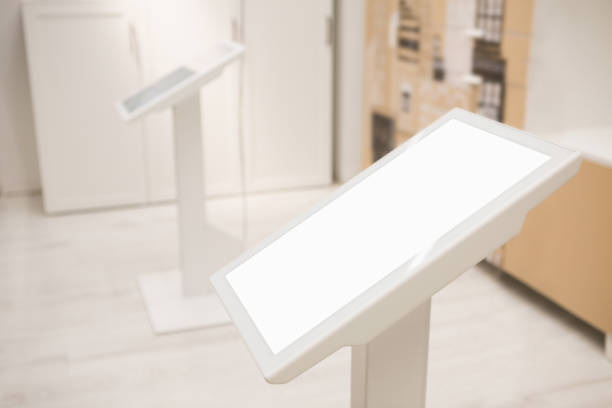
Interaktive Abfragekioske erleichtern den Besuchern den Zugriff auf Informationen, im öffentlichen Raum navigieren, und erledigen Sie Self-Service-Aufgaben über Touchscreen-Schnittstellen. Jedoch, Ein für ein Einkaufszentrum konzipierter interaktiver Kiosk erfüllt möglicherweise nicht die Anforderungen eines Flughafens, Hotel, oder Regierungsdiensthalle.
Das Richtige wählen interaktiver Abfragekiosk erfordert mehr als nur die Auswahl einer Bildschirmgröße. Käufer müssen die Helligkeit des Displays bewerten, Betriebssystemkompatibilität, Touchscreen-Leistung, Software-Integration, periphere Anforderungen, und Betriebszuverlässigkeit basierend auf der vorgesehenen Einsatzumgebung.
Für Unternehmen und öffentliche Einrichtungen, die interaktive Kioske suchen, Die Anpassung der Hardware- und Softwarekonfiguration an die Anwendung trägt zur Verbesserung der Benutzerfreundlichkeit bei, Vereinfachen Sie die Verwaltung, und Integrationsprobleme reduzieren.
Dieser Leitfaden vergleicht vier gängige interaktive Kioskanwendungen und erläutert die wichtigsten Spezifikationen, die Käufer berücksichtigen sollten, bevor sie eine Bestellung aufgeben.
1. Interaktive Abfragekioske für Einkaufszentren
Kioske in Einkaufszentren unterstützen in erster Linie die Orientierung im Innenbereich, Store-Suchen, Werbeinhalte, und Besucherinformationen. Sie müssen eine intuitive Touchscreen-Oberfläche mit einem großen Display kombinieren, das auch in hellen Geschäftsumgebungen gut lesbar bleibt.
Empfohlene Spezifikationen für interaktive Kioske
- Bildschirmgröße: 55–65 Zoll für großformatige Verzeichnisse und interaktive Karten.
- Auflösung: 4K für detaillierte Karten, Store-Einträge, und Werbevisualisierungen.
- Touch-Screen: 10-Punktkapazitive Berührung für reaktionsfähige Multi-Touch-Interaktion.
- Betriebssystem: Android für kompatible Kioskanwendungen und Content-Management-Workflows.
- Helligkeit: 400–500 Nits als anfängliche Spezifikation für typische Inneneinkaufszentren.
- Content-Management: Remote-Content-Management oder Mobilgerätemanagement (MDM), Abhängig von der Bereitstellungsarchitektur.
Schlüsselfunktionen und Anwendungen
Ein interaktiver Kiosk in einem Einkaufszentrum kann ein interaktives Etagenverzeichnis bereitstellen, Filialsuche, Veranstaltungsplan, Wiedergabe von Werbevideos, und Markeninformationen.
Durch Remote-Content-Management können autorisierte Mitarbeiter Filialinformationen aktualisieren, Werbekampagnen, und Verzeichnisinhalte, ohne jeden Kiosk einzeln besuchen zu müssen.
Für Einzelhandelsbetreiber mit mehreren Standorten, Eine zentrale Verwaltung kann auch die Aktualisierung von Inhalten über mehrere Etagen oder Einkaufszentren hinweg vereinfachen.
Käufertipp: Bestätigen Sie die tatsächlichen Umgebungslichtbedingungen, bevor Sie die Displayhelligkeit auswählen. Kiosks positioned near glass entrances or sunlit atriums may require higher brightness than units installed in interior corridors.
2. Interactive Query Kiosks for Hotels
Hotel kiosks support guest information services and, when properly integrated, self-service check-in and check-out. Unlike a basic information directory, a hotel self-service terminal may need to communicate with the property’s management software and operate several connected peripherals.
Empfohlene Spezifikationen für interaktive Kioske
- Bildschirmgröße: 43–55 Zoll, depending on the interface and available installation space.
- Touch-Screen: Responsive touch input for guest registration and service selection.
- Betriebssystem: Windows or Android, selected according to application compatibility and integration requirements.
- Display brightness: Approximately 350–400 nits for many controlled-lighting lobby environments.
- Peripheral options: Card reader, identity document scanner, thermal receipt printer, key card encoder, and optional payment terminal.
- Softwareintegration: Property management system (PMS), guest registration software, and relevant booking or payment systems.
Schlüsselfunktionen und Anwendungen
Hotel interactive kiosks can display guest services, restaurant and spa information, local attractions, airport shuttle schedules, and hotel policies.
For self-service check-in, the terminal may also need to support guest identification, room assignment, payment processing, receipt printing, and key card issuance.
The required operating system should be determined by the actual PMS application, Fahrerverfügbarkeit, Sicherheitsanforderungen, and integration architecture. Windows may be necessary for some legacy desktop applications, while Android can work with compatible web-based or native applications.
Käufertipp: Before ordering, confirm the required peripheral interfaces, device drivers, network connections, Softwarelizenzierung, and data security requirements with the hotel IT team or PMS provider.
3. Interactive Query Kiosks for Airports
Airport kiosks serve passengers in large, busy terminals where clear information and efficient navigation are essential. They may provide flight information, gate directions, baggage claim details, retail directories, and multilingual visitor assistance.
Airport environments can also introduce more demanding display and operating requirements, especially near large windows or glass façades.
Empfohlene Spezifikationen für interaktive Kioske
- Bildschirmgröße: 55–65 inches for passenger information and interactive wayfinding.
- Display resolution: Selected according to map detail, information density, and viewing distance.
- Helligkeit: Approximately 500–700 nits may be appropriate for brighter terminal locations, subject to actual ambient lighting.
- Betriebssystem: Android oder Windows, depending on software compatibility and integration requirements.
- Language support: Multiple interface languages, such as English, Chinese, Japanese, and Korean, where required.
- Operating reliability: Commercial-grade display hardware designed for the intended duty cycle, with appropriate thermal management.
- Content integration: Flight information feeds, terminal maps, baggage information, and other approved airport data sources.
Schlüsselfunktionen und Anwendungen
An airport interactive query kiosk can provide flight arrival and departure information, gate navigation, baggage claim directions, lounge locations, retail directories, and passenger service information.
Multilingual interfaces help international travelers access essential information more easily. Integration with airport information systems can also keep displayed information aligned with approved operational data sources.
For installations that operate continuously, buyers should evaluate the panel’s rated duty cycle, thermisches Design, component lifespan, remote monitoring, and maintenance access. Fanless cooling may be suitable for some designs, but it should be assessed against the thermal load and operating environment.
Käufertipp: Brightness alone does not guarantee sunlight readability. Consider screen reflections, viewing angles, ambient light, enclosure placement, and the contrast of displayed content when evaluating a kiosk for a bright terminal.
4. Interactive Query Kiosks for Government Service Halls
Government service halls use interactive kiosks to help visitors find public services, review application requirements, book appointments, and access queue management systems.
Compared with a promotional kiosk, a government service terminal often requires more structured workflows, specific software compatibility, and connections to printing or identity-related peripherals.
Empfohlene Spezifikationen für interaktive Kioske
- Bildschirmgröße: 43–55 Zoll, depending on the interface and installation layout.
- Touch-Screen: Touch-enabled display for service selection, form navigation, and information queries.
- Betriebssystem: Windows or Android, based on the compatibility requirements of the service and queue management software.
- Helligkeit: Approximately 350–450 nits for many indoor service hall environments.
- Peripheral options: Queue ticket printer, identity card reader, document scanner, and optional camera where required.
- Softwareintegration: Service directories, appointment systems, queue management platforms, and authorized government information systems.
Schlüsselfunktionen und Anwendungen
Government service kiosks can display service categories, document checklists, application procedures, appointment information, policy announcements, and queue instructions.
When integrated with a queue management system, a kiosk may issue queue tickets or guide visitors to the correct service counter.
Split-screen layouts can combine service instructions with queue information or announcements, provided the selected hardware and software support the required display arrangement.
For deployments involving identity verification or personal information, buyers should also confirm privacy controls, data protection requirements, access permissions, and secure handling of connected peripherals.
Käufertipp: Do not assume that every government application requires Windows. Confirm the operating system, security policies, interface requirements, and peripheral drivers with the software provider before finalizing the kiosk specification.
5. Interactive Query Kiosk Specification Comparison
The following table summarizes typical starting points for selecting an interactive kiosk by deployment environment.
| Specification | Shopping Mall | Hotel | Airport | Government Service Hall |
|---|---|---|---|---|
| Typical screen size | 55–65 Zoll | 43–55 Zoll | 55–65 Zoll | 43–55 Zoll |
| Auflösungspriorität | 4K für detaillierte Verzeichnisse | Basierend auf den Schnittstellenanforderungen | Basierend auf Karten und Passagierinformationen | Basierend auf Formularen und Serviceinformationen |
| Empfohlene Helligkeit | 400–500 Nits | 350–400 Nits | 500–700 Nits für hellere Standorte | 350–450 Nits |
| Betriebssystem | Android oder kompatible Plattform | Windows or Android | Android oder Windows | Windows or Android |
| Primäre Anwendungen | Filialsuche, Wegweiser, Werbeaktionen | Gästeinformationen, Selbstbedienungs-Check-in | Fluginformationen, Wegweiser, mehrsprachige Hilfe | Serviceanfragen, Termine, Warteschlangenverwaltung |
| Peripherieanforderungen | Normalerweise auf den Touchscreen fokussiert | Card reader, Scanner, Drucker, optionales Zahlungsterminal | Hängt von der Flughafenintegration ab | Ticketdrucker, Identitätsleser, optionale Kamera |
| Managementpriorität | Zentralisierte Inhaltsaktualisierungen | PMS-Integration und Transaktionsworkflows | Datenintegration und kontinuierlicher Betrieb | Workflow-Integration und Zugriffskontrolle |
Bei diesen Spezifikationen handelt es sich eher um Anhaltspunkte als um universelle Anforderungen. Die endgültigen Konfigurationen sollten die tatsächliche Anwendung widerspiegeln, installation environment, software platform, and peripheral connections.
6. How to Choose the Right Interactive Query Kiosk
Before purchasing an interactive kiosk, evaluate the following six factors.
1. Define the Primary Application
Determine whether the kiosk will mainly display information, support navigation, process transactions, or manage structured service workflows. This decision determines the required software, touchscreen interface, and peripheral configuration.
2. Select the Appropriate Screen Size and Resolution
A large screen can improve readability and navigation, but it must fit the available space and viewing distance. Resolution should be selected according to the detail level of the displayed content rather than screen size alone.
3. Match Brightness to the Installation Environment
Indoor corridors, hotel lobbies, und sonnendurchflutete Flughafenterminals haben unterschiedliche Lichtverhältnisse. Umgebungslicht beurteilen, Reflexionen, viewing angles, und Installationsposition, bevor Sie die Displayhelligkeit festlegen.
4. Bestätigen Sie die Betriebssystem- und Softwarekompatibilität
Prüfen Sie, ob die vorgesehene Kioskanwendung Android unterstützt, Fenster, oder eine andere Plattform. Bestätigen Sie die Softwarelizenzierung, device drivers, Sicherheitsupdates, Netzwerkkonnektivität, und Integrationsanforderungen vor der Produktion.
5. Benötigte Peripheriegeräte frühzeitig festlegen
Listen Sie alle erforderlichen Leser auf, Drucker, Scanner, Kameras, Zahlungsgeräte, und Verbindungsschnittstellen. Eine frühzeitige Bestätigung hilft dem Hersteller beim Entwurf des Gehäuses, Kabelführung, Montagepositionen, und Servicezugang korrekt.
6. Bewerten Sie Zuverlässigkeit und Fernverwaltung
Für Einsätze mit mehreren Einheiten oder im Dauerbetrieb, Berücksichtigen Sie die Nennbetriebsstunden, thermische Leistung, remote monitoring, Software-Update-Management, Wartungszugang, und Ersatzteilverfügbarkeit.
A complete specification should address the entire kiosk system, not just the touchscreen display.
Abschluss: Match Interactive Query Kiosk Specifications to the Deployment Scenario
The right interactive query kiosk depends on where it will be installed and what users need to accomplish.
Shopping malls typically prioritize large-format wayfinding and centralized promotional content. Hotels may require PMS integration and self-service peripherals. Airports emphasize passenger information, multilingual interfaces, display readability, and operational reliability. Government service halls often need structured workflows, Warteschlangenverwaltung, and compatible service software.
Für B2B-Käufer, the most effective procurement approach is to define the application first, then confirm screen specifications, Betriebssystem, Software-Integration, periphere Anforderungen, and maintenance expectations.
Custom Interactive Query Kiosk Solutions
Custom interactive kiosks can be configured with different screen sizes, brightness levels, Betriebssysteme, enclosure designs, and peripheral options. Share your deployment scenario, software requirements, installation environment, and expected operating schedule to develop a specification suited to your project.
