


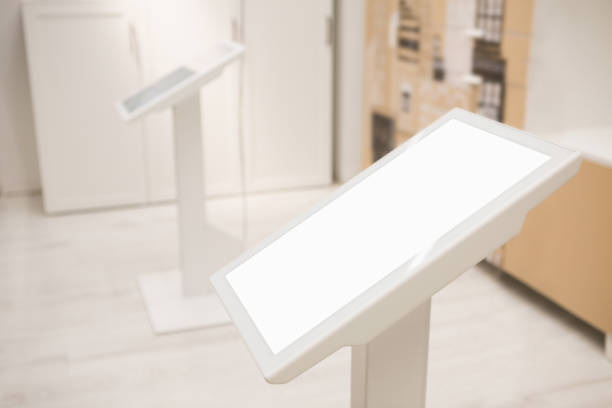
Interactive query kiosks help visitors access information, navigate public spaces, and complete self-service tasks through touchscreen interfaces. However, an interactive kiosk designed for a shopping mall may not meet the requirements of an airport, hotel, or government service hall.
Choosing the right interactive query kiosk requires more than selecting a screen size. Buyers must evaluate display brightness, operating system compatibility, touchscreen performance, software integration, peripheral requirements, and operating reliability based on the intended deployment environment.
For businesses and public institutions sourcing interactive kiosks, matching the hardware and software configuration to the application helps improve usability, simplify management, and reduce integration problems.
This guide compares four common interactive kiosk applications and explains the key specifications buyers should consider before placing an order.
1. Interactive Query Kiosks for Shopping Malls
Shopping mall kiosks primarily support indoor wayfinding, store searches, promotional content, and visitor information. They need to combine an intuitive touchscreen interface with a large display that remains readable in bright commercial environments.
Recommended Interactive Kiosk Specifications
- Screen size: 55–65 inches for large-format directories and interactive maps.
- Resolution: 4K for detailed maps, store listings, and promotional visuals.
- Touchscreen: 10-point capacitive touch for responsive multi-touch interaction.
- Operating system: Android for compatible kiosk applications and content management workflows.
- Brightness: 400–500 nits as an initial specification for typical indoor mall environments.
- Content management: Remote content management or mobile device management (MDM), depending on the deployment architecture.
Key Functions and Applications
A shopping mall interactive kiosk can provide an interactive floor directory, store locator, event schedule, promotional video playback, and brand information.
Remote content management allows authorized staff to update store information, promotional campaigns, and directory content without visiting each kiosk individually.
For multi-location retail operators, centralized management can also simplify content updates across multiple floors or shopping centers.
Buyer tip: Confirm actual ambient lighting conditions before selecting display brightness. Kiosks positioned near glass entrances or sunlit atriums may require higher brightness than units installed in interior corridors.
2. Interactive Query Kiosks for Hotels
Hotel kiosks support guest information services and, when properly integrated, self-service check-in and check-out. Unlike a basic information directory, a hotel self-service terminal may need to communicate with the property’s management software and operate several connected peripherals.
Recommended Interactive Kiosk Specifications
- Screen size: 43–55 inches, depending on the interface and available installation space.
- Touchscreen: Responsive touch input for guest registration and service selection.
- Operating system: Windows or Android, selected according to application compatibility and integration requirements.
- Display brightness: Approximately 350–400 nits for many controlled-lighting lobby environments.
- Peripheral options: Card reader, identity document scanner, thermal receipt printer, key card encoder, and optional payment terminal.
- Software integration: Property management system (PMS), guest registration software, and relevant booking or payment systems.
Key Functions and Applications
Hotel interactive kiosks can display guest services, restaurant and spa information, local attractions, airport shuttle schedules, and hotel policies.
For self-service check-in, the terminal may also need to support guest identification, room assignment, payment processing, receipt printing, and key card issuance.
The required operating system should be determined by the actual PMS application, driver availability, security requirements, and integration architecture. Windows may be necessary for some legacy desktop applications, while Android can work with compatible web-based or native applications.
Buyer tip: Before ordering, confirm the required peripheral interfaces, device drivers, network connections, software licensing, and data security requirements with the hotel IT team or PMS provider.
3. Interactive Query Kiosks for Airports
Airport kiosks serve passengers in large, busy terminals where clear information and efficient navigation are essential. They may provide flight information, gate directions, baggage claim details, retail directories, and multilingual visitor assistance.
Airport environments can also introduce more demanding display and operating requirements, especially near large windows or glass façades.
Recommended Interactive Kiosk Specifications
- Screen size: 55–65 inches for passenger information and interactive wayfinding.
- Display resolution: Selected according to map detail, information density, and viewing distance.
- Brightness: Approximately 500–700 nits may be appropriate for brighter terminal locations, subject to actual ambient lighting.
- Operating system: Android or Windows, depending on software compatibility and integration requirements.
- Language support: Multiple interface languages, such as English, Chinese, Japanese, and Korean, where required.
- Operating reliability: Commercial-grade display hardware designed for the intended duty cycle, with appropriate thermal management.
- Content integration: Flight information feeds, terminal maps, baggage information, and other approved airport data sources.
Key Functions and Applications
An airport interactive query kiosk can provide flight arrival and departure information, gate navigation, baggage claim directions, lounge locations, retail directories, and passenger service information.
Multilingual interfaces help international travelers access essential information more easily. Integration with airport information systems can also keep displayed information aligned with approved operational data sources.
For installations that operate continuously, buyers should evaluate the panel’s rated duty cycle, thermal design, component lifespan, remote monitoring, and maintenance access. Fanless cooling may be suitable for some designs, but it should be assessed against the thermal load and operating environment.
Buyer tip: Brightness alone does not guarantee sunlight readability. Consider screen reflections, viewing angles, ambient light, enclosure placement, and the contrast of displayed content when evaluating a kiosk for a bright terminal.
4. Interactive Query Kiosks for Government Service Halls
Government service halls use interactive kiosks to help visitors find public services, review application requirements, book appointments, and access queue management systems.
Compared with a promotional kiosk, a government service terminal often requires more structured workflows, specific software compatibility, and connections to printing or identity-related peripherals.
Recommended Interactive Kiosk Specifications
- Screen size: 43–55 inches, depending on the interface and installation layout.
- Touchscreen: Touch-enabled display for service selection, form navigation, and information queries.
- Operating system: Windows or Android, based on the compatibility requirements of the service and queue management software.
- Brightness: Approximately 350–450 nits for many indoor service hall environments.
- Peripheral options: Queue ticket printer, identity card reader, document scanner, and optional camera where required.
- Software integration: Service directories, appointment systems, queue management platforms, and authorized government information systems.
Key Functions and Applications
Government service kiosks can display service categories, document checklists, application procedures, appointment information, policy announcements, and queue instructions.
When integrated with a queue management system, a kiosk may issue queue tickets or guide visitors to the correct service counter.
Split-screen layouts can combine service instructions with queue information or announcements, provided the selected hardware and software support the required display arrangement.
For deployments involving identity verification or personal information, buyers should also confirm privacy controls, data protection requirements, access permissions, and secure handling of connected peripherals.
Buyer tip: Do not assume that every government application requires Windows. Confirm the operating system, security policies, interface requirements, and peripheral drivers with the software provider before finalizing the kiosk specification.
5. Interactive Query Kiosk Specification Comparison
The following table summarizes typical starting points for selecting an interactive kiosk by deployment environment.
| Specification | Shopping Mall | Hotel | Airport | Government Service Hall |
|---|---|---|---|---|
| Typical screen size | 55–65 inches | 43–55 inches | 55–65 inches | 43–55 inches |
| Resolution priority | 4K for detailed directories | Based on interface requirements | Based on maps and passenger information | Based on forms and service information |
| Suggested brightness | 400–500 nits | 350–400 nits | 500–700 nits for brighter locations | 350–450 nits |
| Operating system | Android or compatible platform | Windows or Android | Android or Windows | Windows or Android |
| Primary applications | Store locator, wayfinding, promotions | Guest information, self-service check-in | Flight information, wayfinding, multilingual assistance | Service queries, appointments, queue management |
| Peripheral requirements | Usually touchscreen-focused | Card reader, scanner, printer, optional payment terminal | Depends on airport integration | Ticket printer, identity reader, optional camera |
| Management priority | Centralized content updates | PMS integration and transaction workflows | Data integration and continuous operation | Workflow integration and access control |
These specifications are reference points rather than universal requirements. Final configurations should reflect the actual application, installation environment, software platform, and peripheral connections.
6. How to Choose the Right Interactive Query Kiosk
Before purchasing an interactive kiosk, evaluate the following six factors.
1. Define the Primary Application
Determine whether the kiosk will mainly display information, support navigation, process transactions, or manage structured service workflows. This decision determines the required software, touchscreen interface, and peripheral configuration.
2. Select the Appropriate Screen Size and Resolution
A large screen can improve readability and navigation, but it must fit the available space and viewing distance. Resolution should be selected according to the detail level of the displayed content rather than screen size alone.
3. Match Brightness to the Installation Environment
Indoor corridors, hotel lobbies, and sunlit airport terminals have different lighting conditions. Assess ambient light, reflections, viewing angles, and installation position before specifying display brightness.
4. Confirm Operating System and Software Compatibility
Check whether the intended kiosk application supports Android, Windows, or another platform. Confirm software licensing, device drivers, security updates, network connectivity, and integration requirements before production.
5. Specify Required Peripherals Early
List all required readers, printers, scanners, cameras, payment devices, and connection interfaces. Early confirmation helps the manufacturer design the enclosure, cable routing, mounting positions, and service access correctly.
6. Evaluate Reliability and Remote Management
For multi-unit or continuous-operation deployments, consider rated operating hours, thermal performance, remote monitoring, software update management, maintenance access, and replacement-part availability.
A complete specification should address the entire kiosk system, not just the touchscreen display.
Conclusion: Match Interactive Query Kiosk Specifications to the Deployment Scenario
The right interactive query kiosk depends on where it will be installed and what users need to accomplish.
Shopping malls typically prioritize large-format wayfinding and centralized promotional content. Hotels may require PMS integration and self-service peripherals. Airports emphasize passenger information, multilingual interfaces, display readability, and operational reliability. Government service halls often need structured workflows, queue management, and compatible service software.
For B2B buyers, the most effective procurement approach is to define the application first, then confirm screen specifications, operating system, software integration, peripheral requirements, and maintenance expectations.
Custom Interactive Query Kiosk Solutions
Custom interactive kiosks can be configured with different screen sizes, brightness levels, operating systems, enclosure designs, and peripheral options. Share your deployment scenario, software requirements, installation environment, and expected operating schedule to develop a specification suited to your project.
