Android vs Windows for Commercial Double-Sided Digital Signage: How to Choose
When deploying commercial double-sided digital signage, system integrators and corporate procurement teams must choose an operating system that matches the application, software environment, and management requirements.
Android and Windows can both support modern commercial display hardware. However, the right choice depends less on raw hardware performance and more on software compatibility, remote management, deployment scale, maintenance requirements, and total cost of ownership.
1. Android vs Windows Digital Signage: Key Differences
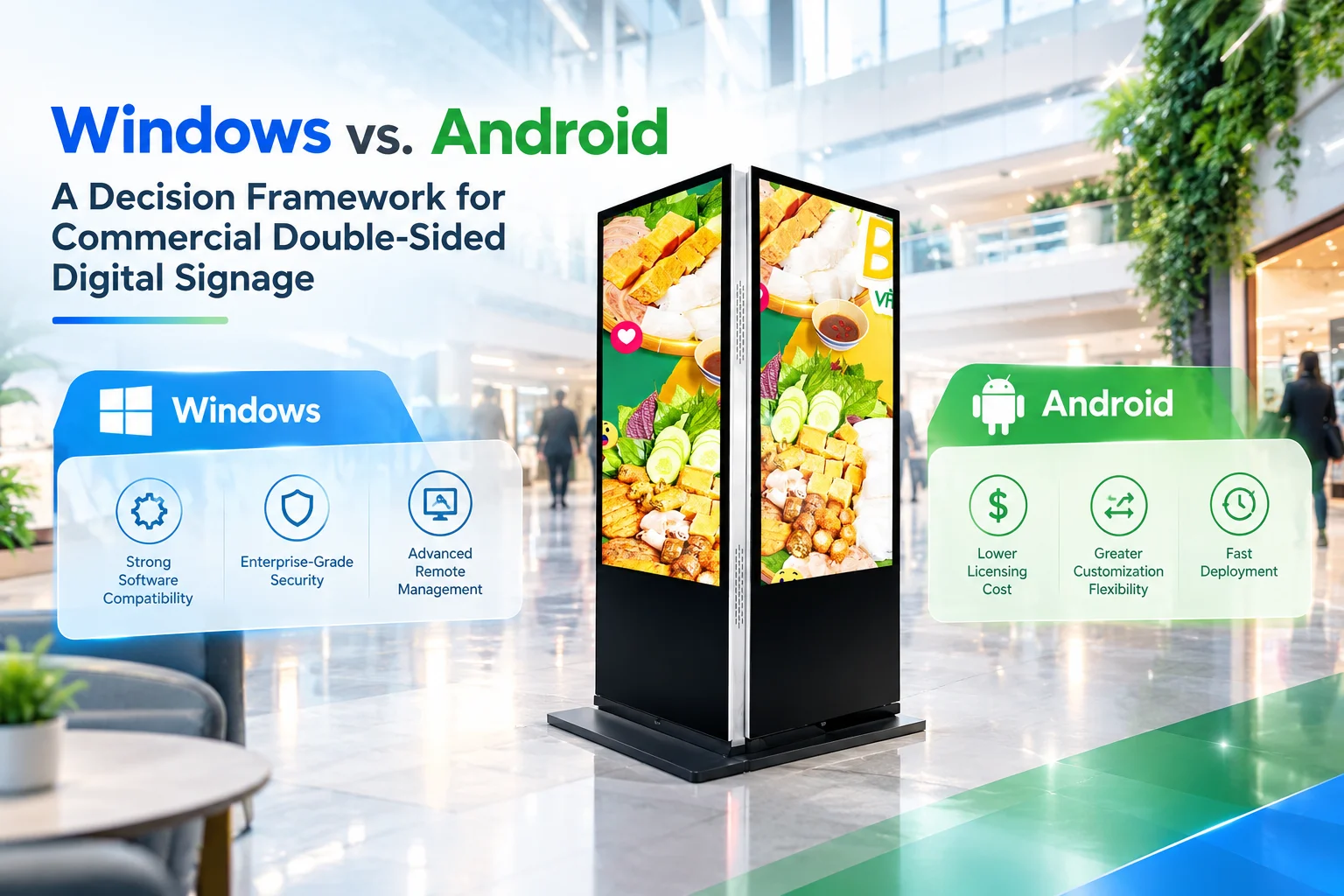
The two operating systems serve different deployment requirements. Android focuses on lightweight content management and scalable signage, while Windows provides broader compatibility with enterprise software.
| Feature | Android Digital Signage | Windows Digital Signage |
|---|---|---|
| Primary Applications | Video playback, digital advertising, interactive menus, web portals | Enterprise software, CRM/ERP clients, legacy applications |
| Hardware & License Cost | Lower hardware requirements and generally lower OS-related costs | Higher hardware requirements plus Windows licensing |
| Remote Management | Cloud-based APK distribution, content scheduling, and centralized device management | Active Directory, Group Policy, Windows Remote Desktop, and enterprise IT tools |
| Software Ecosystem | Android APKs, HTML5 applications, lightweight SaaS CMS platforms | x86/x64 software, .exe, .NET Framework, and C++ applications |
| Maintenance | Lightweight system with quick reboot and relatively simple maintenance | Requires Windows updates, security patches, antivirus management, and IT support |
This comparison shows why OS selection should start with the software and management environment rather than the display specification alone.
2. When Should You Choose Android Digital Signage?
Android is well suited to commercial digital signage networks that require centralized content management, standardized playback, and scalable deployment.
Typical applications include retail stores, shopping malls, transportation terminals, and other multi-location environments.
Standardized Content Playback
Android systems can handle common signage content such as:
- HD promotional videos
- Image carousels
- Digital advertisements
- Web-based dashboards
- Interactive menus
For deployments based primarily on scheduled content playback, Android provides a relatively lightweight operating environment.
Centralized Fleet Management
Cloud-based management allows IT teams to manage multiple commercial displays from a centralized platform.
Depending on the CMS and hardware configuration, operators can distribute applications, update content, schedule playback, configure layouts, and monitor device status remotely.
This approach becomes particularly useful when a company operates hundreds of displays across different locations.
Lower Hardware Requirements
Android generally requires fewer hardware resources than a comparable Windows system. This can help reduce the initial CapEx for large-scale signage deployments.
For projects where advanced Windows applications are unnecessary, a lower hardware specification can also simplify deployment and maintenance.
3. When Is Windows Digital Signage More Suitable?
Windows becomes more relevant when a commercial display functions as an enterprise workstation or interactive computing terminal, rather than simply a content playback device.
Compatibility With Enterprise Software
Windows supports a broad range of native applications and enterprise software.
A Windows-based display may be required when the system needs to run:
- Native
.exeapplications - Local CRM or ERP software
- .NET applications
- C++ applications
- Internal database-connected software
- Legacy Windows programs
This makes Windows useful when the signage system must integrate directly into an existing corporate software environment.
Higher Local Computing Requirements
Some interactive applications require more local processing than standard advertising playback.
Examples include complex 3D rendering, advanced touch applications, multi-window interfaces, and intensive local data processing.
In these cases, the hardware and operating system should be specified together to ensure sufficient processing performance.
Enterprise IT Integration
Windows can also integrate with established corporate IT infrastructure.
For organizations using Active Directory, Group Policy, corporate firewalls, and Windows-based security policies, Windows signage hardware can fit more naturally into existing management workflows.
4. OS Selection Framework for Commercial Digital Signage
Before selecting the operating system, procurement teams should identify the primary function of the display.
| Requirement | Recommended OS Direction |
|---|---|
| Standard advertising playback | Android |
| Centralized CMS management | Android |
| Large multi-location signage fleet | Android |
| Low hardware and deployment cost | Android |
Native .exe applications |
Windows |
| Existing CRM/ERP software | Windows |
| Legacy Windows applications | Windows |
| Advanced local computing | Windows |
| Active Directory integration | Windows |
| Complex enterprise IT environment | Windows |
The key question is not simply “Which OS is more powerful?” Instead, determine whether the display primarily functions as a managed signage endpoint or as an enterprise computing terminal.
5. Android vs Windows for Double-Sided Digital Signage
Double-sided digital signage can introduce additional architectural requirements because different display surfaces may serve different purposes.
For example, one side may function as a public-facing advertising screen, while the opposite side may provide interactive information or enterprise applications.
Some modular or dual-system configurations using OPS (Open Pluggable Specification) hardware can support different operating environments or input configurations.
This allows system designers to build configurations such as:
- Android side: Advertising content and centralized CMS playback
- Windows side: Interactive applications or enterprise software
- Dual-system configuration: Different operating environments within one display architecture
The actual implementation depends on the hardware architecture, OPS configuration, software compatibility, and display controller design.
6. Android vs Windows: Cost and Maintenance Considerations
OS selection should also include the long-term total cost of ownership (TCO) rather than only the initial purchase price.
Android Cost Structure
Android-based signage can reduce hardware requirements and simplify maintenance for standardized deployments. This makes it suitable for businesses that prioritize large-scale content distribution and centralized control.
Windows Cost Structure
Windows deployments may require higher-performance hardware and valid Windows licensing. Procurement teams should also account for ongoing operating system updates, antivirus protection, security patches, and IT administration.
Therefore, the total deployment cost should include:
- Display hardware
- CPU and memory requirements
- Operating system licensing
- CMS or software licensing
- Remote management
- Security maintenance
- IT support
- Hardware replacement and lifecycle costs
7. Frequently Asked Questions
Can Android digital signage support video conferencing applications?
Yes. Android-based systems can support compatible communication applications when paired with appropriate USB cameras and microphone arrays.
However, deployments requiring advanced screen sharing, calendar integration, or complex dual-display conference routing may require a Windows environment.
Does Windows digital signage require additional licensing?
Yes. Commercial Windows deployments require the appropriate Windows license, such as Windows Enterprise or Windows IoT Enterprise, depending on the system configuration.
Procurement teams should include licensing costs when calculating the project’s total budget.
Can a double-sided digital signage display support both Android and Windows?
Some dual-system or modular OPS configurations can support different operating systems or inputs.
For example, one side can run an Android-based advertising CMS while the other side operates a Windows-based interactive application. The available configuration depends on the hardware architecture.
8. Key Considerations for OS Selection
Selecting an operating system for commercial double-sided digital signage requires a balance between application compatibility, deployment scale, management requirements, and lifecycle cost.
Choose Android when:
- The primary requirement is digital advertising or content playback.
- Centralized CMS management is important.
- The project involves many distributed displays.
- Hardware and maintenance costs need to remain controlled.
Consider Windows when:
- The display must run native Windows applications.
- Existing CRM or ERP systems need direct integration.
- Legacy
.exesoftware must be supported. - Advanced local computing or interactive applications are required.
- The deployment must integrate with an existing Windows-based corporate IT environment.
The most effective approach is to define the software architecture first, then select the appropriate hardware, operating system, remote management platform, and OPS configuration around those requirements. This ensures the commercial double-sided digital signage system remains compatible with current applications while allowing room for future deployment needs.