


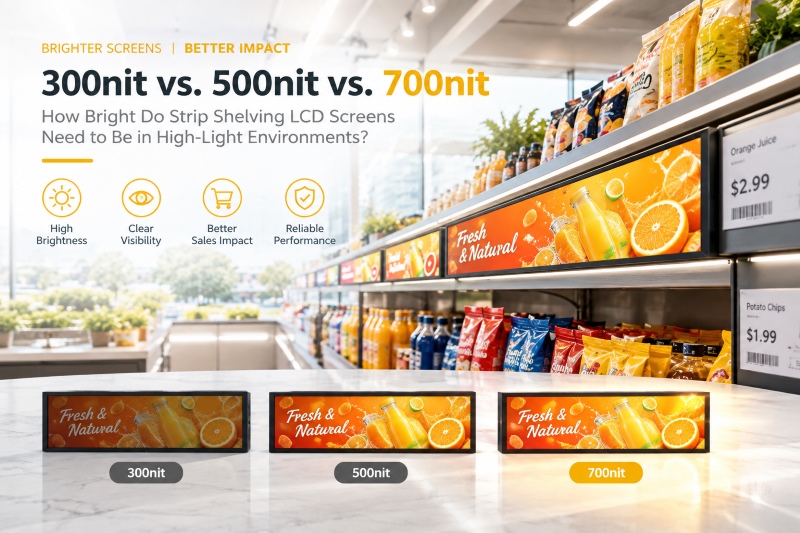
How Many Nits Do Strip Shelving LCD Screens Need?
Digital shelf-edge advertising is changing how brands communicate with shoppers at the point of purchase.
Retailers can use strip shelving LCD screens to replace static shelf labels with dynamic promotions, digital pricing, product videos, and branded content.
However, screen brightness directly affects whether shoppers can clearly see that content.
For procurement managers, the key question is not simply whether a display has a high nit rating. The right brightness depends on the ambient light level, installation location, glare, and viewing conditions.
A display that works well inside a low-light shelf may become difficult to read under bright supermarket lighting. Conversely, an unnecessarily bright screen can increase glare, power consumption, and project cost.
This guide explains how to select the right brightness for strip shelving LCD screens and what other specifications B2B buyers should evaluate.
Why Screen Brightness Matters for Retail Shelf Displays
Screen brightness is measured in nits, also expressed as cd/m².
Ambient lighting is measured in lux.
These two measurements describe different aspects of the viewing environment. Lux indicates the amount of ambient light reaching a surface, while nits indicate the luminance produced by the display.
As ambient light increases, the display needs sufficient luminance to maintain visual clarity.
Retail environments can vary significantly.
A screen inside an enclosed display case may face relatively low ambient lighting. A shelf beside a storefront window may receive substantially more light.
Therefore, brightness selection should start with the actual installation environment.
Recommended Brightness for Different Retail Environments
The following range provides a practical starting point for B2B display selection.
| Screen Brightness | Recommended Ambient Light | Typical Installation | Suitability |
|---|---|---|---|
| 300 nits | 200–450 lux | Enclosed cases, deep shelves, low-light boutiques | Basic indoor applications |
| 500 nits | 500–800 lux | Supermarkets, pharmacies, malls, retail shelves | Mainstream commercial use |
| 700+ nits | 1,000+ lux | Glass coolers, bright endcaps, window-facing shelves | High-illuminance environments |
These values should serve as project selection guidelines rather than universal industry limits.
Actual requirements can change with screen size, viewing distance, glass reflections, lighting direction, content type, and display surface characteristics.
300 Nits: For Lower-Light Shelf Locations
A 300-nit strip shelving LCD screen can work well in controlled indoor environments.
Typical applications include:
- Enclosed display cabinets
- Deep shelf interiors
- Low-light boutique racks
- Displays with indirect accent lighting
The lower brightness level can reduce unnecessary power consumption and avoid excessive glare.
However, 300 nits may not provide sufficient visibility under strong overhead LED lighting or direct spotlights.
500 Nits: The Mainstream Retail Benchmark
For many indoor retail environments, 500 nits provides a practical balance between visibility, power efficiency, and cost.
It is suitable for environments around 500–800 lux, including:
- Supermarket aisles
- Pharmacy displays
- Cosmetic shelves
- Shopping malls
- Retail endcaps
- Standard commercial shelf edges
At this brightness level, promotional graphics, pricing information, and product messaging can remain clear under typical commercial lighting.
For large-scale indoor retail deployments, 500 nits is therefore a useful baseline for supplier comparison.
700+ Nits: For High-Illuminance Installations
Some retail locations require substantially higher display brightness.
A 700+ nit strip shelf LCD screen is more suitable when ambient light reaches approximately 1,000 lux or above.
Typical applications include:
- Glass refrigerator doors
- Freezer displays
- Bright product endcaps
- Shelf units near storefront windows
- Areas exposed to strong spotlights
Higher luminance can help maintain content visibility when reflections and bright ambient lighting reduce perceived contrast.
However, buyers should not automatically select the highest available brightness.
The correct specification should match the actual installation conditions.
What Should B2B Buyers Check Besides Brightness?
Brightness determines visibility, but it does not define the complete performance of a retail shelf display.
A commercial deployment also needs reliable content management, appropriate media support, flexible installation, and efficient daily operation.
High-Definition Visual Performance
HOSDA strip shelving LCD screens use professional LCD panels designed for digital retail applications.
The display supports high-definition visual content with clear images and vivid color reproduction.
This helps present:
- Product promotions
- Digital pricing
- Brand graphics
- Product videos
- Promotional campaigns
- QR code content
High contrast and an appropriate backlight system also help maintain content clarity under commercial lighting.
Wi-Fi and Remote Content Management
Managing hundreds of shelf-edge displays manually can create significant operational work.
HOSDA displays support Wi-Fi connectivity and remote cloud-based content management.
Retail operators can use a computer or smartphone to manage digital content across multiple displays.
Typical functions include:
- Uploading media
- Updating promotional content
- Scheduling campaigns
- Changing pricing information
- Managing multiple displays
- Coordinating multi-store campaigns
This makes the system more suitable for centralized retail signage management.
Intelligent Split-Screen Display
Shelf-edge displays often have limited physical space.
Split-screen functionality allows retailers to use the available display area for multiple content types.
For example, one section can show a promotional video while another displays:
- Pricing information
- Product specifications
- QR codes
- Promotional messages
This allows a single screen to support several communication functions.
Multi-Format Media Support
Retail marketing teams often work with different content formats.
HOSDA shelf displays support common media formats, including:
- MP3
- MP4
- JPG
- AVI
This reduces the need for complex content conversion before deployment.
Energy-Efficient Scheduling
Retail displays do not need to operate continuously when stores are closed.
Timed power-on and power-off functions allow operators to schedule screen operation around store hours.
This can help reduce unnecessary energy consumption during non-business periods.
For large retail networks, even small per-screen savings can become meaningful across hundreds or thousands of units.
Flexible Horizontal and Vertical Installation
Retail shelving systems have different physical layouts.
HOSDA displays support both horizontal and vertical orientation switching, allowing them to fit different installation requirements.
They can be integrated into:
- Retail gondolas
- Endcaps
- Display racks
- Shelf-edge structures
- Narrow retail fixtures
The slim form factor also helps the display integrate into modern retail environments without occupying excessive space.
How to Select Strip Shelving LCD Screens for Your Project
B2B buyers should evaluate the complete installation environment before requesting quotations.
1. Measure Ambient Lighting
Determine the approximate lux level at the actual installation position.
Do not rely only on general store lighting specifications.
A shelf near a window can experience significantly different conditions from a shelf located deep inside an aisle.
2. Check Direct Light and Reflections
Identify nearby:
- Storefront windows
- Refrigerator lighting
- Glass doors
- LED panels
- Spotlights
- Reflective surfaces
These factors can affect perceived screen visibility even when measured ambient lux appears acceptable.
3. Match Brightness to the Environment
Use the 300 / 500 / 700+ nit framework as an initial selection reference.
Then validate the actual display under representative lighting conditions.
4. Test the Display Before Bulk Ordering
Static specification sheets do not always show real-world visibility.
Ask the manufacturer for live demonstrations or comparison images under approximately 500–800 lux when this matches your target retail environment.
For high-illuminance locations, request testing under conditions closer to the actual installation.
5. Evaluate the Complete System
Do not compare suppliers only by nit ratings.
Also review:
- LCD panel quality
- Backlight performance
- Contrast
- Touch or non-touch requirements
- Wi-Fi connectivity
- Cloud management
- Media format compatibility
- Power scheduling
- Mounting configuration
- Orientation support
- OEM customization capability
This creates a more accurate comparison between competing display solutions.
HOSDA Strip Shelving LCD Screens for Retail Applications
HOSDA develops strip shelving LCD screens for retail and commercial display environments.
The solution combines display performance with remote content management and flexible installation.
Key capabilities include:
| Feature | B2B Value |
|---|---|
| 300–700+ nit options | Match brightness with different retail environments |
| High-definition LCD | Present promotions and product information clearly |
| Wi-Fi connectivity | Support remote content updates |
| Cloud management | Manage multiple displays centrally |
| Split-screen function | Combine promotional and informational content |
| MP3 / MP4 / JPG / AVI / PDF | Support common marketing content |
| Timed power control | Reduce unnecessary off-hours operation |
| Horizontal/vertical support | Adapt to different shelf structures |
| Slim mounting design | Integrate with retail fixtures |
This combination allows retailers to build digital shelf-edge systems that support both marketing and operational requirements.
Frequently Asked Questions
Q1: Is 700 nits better than 500 nits for every retail application?
No.
Higher brightness is useful in high-illuminance environments, but it may create unnecessary glare in darker locations.
For many standard retail environments around 500–800 lux, 500 nits provides a practical starting point.
Q2: How do I choose the brightness for a supermarket shelf display?
Start by measuring the ambient lighting at the actual shelf location.
- For approximately 300–500 lux, consider 300 nits for controlled indoor areas.
- For approximately 500–800 lux, 500 nits is a practical baseline.
- For 1,000+ lux, consider 700 nits or higher.
Also evaluate direct reflections and nearby light sources.
Q3: Can HOSDA displays receive content remotely?
Yes.
HOSDA strip shelving LCD screens support Wi-Fi connectivity and cloud-based remote content management.
Operators can update and schedule content across multiple displays.
Q4: What media formats do HOSDA shelf displays support?
The displays support common formats including MP3, MP4, JPG, AVI, and PDF.
Q5: Can HOSDA strip shelving LCD screens be installed vertically?
Yes.
The displays support both horizontal and vertical orientations for different shelf edges, endcaps, and display racks.
Conclusion
Choosing the right strip shelving LCD screen starts with the lighting conditions at the installation site.
A practical selection framework is 300 nits for lower-light environments, 500 nits for mainstream retail lighting, and 700+ nits for high-illuminance locations.
However, brightness should not be evaluated in isolation.
Retail buyers should also consider display quality, glare conditions, remote content management, media compatibility, power scheduling, mounting flexibility, and OEM customization.
For large retail deployments, validating the display under representative lighting conditions before bulk purchasing can reduce visibility problems and project risk.
Contact HOSDA to discuss your strip shelving LCD screen requirements, request product demonstrations, or develop an OEM display solution for your retail rollout.
